
ScreenCursor
Screen recorder with auto zoom effects
274 followers
Screen recorder with auto zoom effects
274 followers
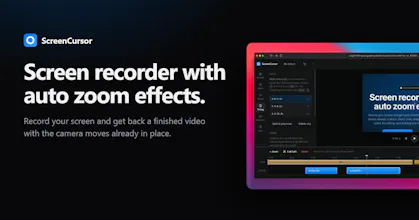
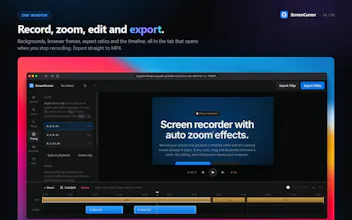
Record your screen and get back a finished video with the camera moves already in place. Every click, drag and keystroke becomes a zoom. No editing, and nothing ever leaves your computer.



@tehreem_fatima5 Thank you so much! Hopefully it will really help everyone!
Congrats on this! Would you consider a shareable link option after recording?
Or maybe an option to one-shot it straight to someone's storage of choice (Drive, dropbox, whatever) so people don't have extra steps to download, then upload, then share.
For me it would be no biggie to keep the files stored on my end in the cloud, but just would slow down the process in come cases with all the extra steps when ultimately I just want to send a link to someone to view. Downloading the file is still helpful though!
@quinnballard Yes, In future update we will add shareable link feature!
@phoenixiam amazing!
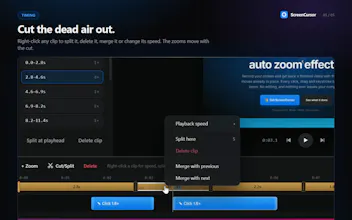
@phoenixiam One more question before I buy: confirming this will record audio? haha I assume yes, but didn't see anything on the site besides just actual screen recording, smart zooms, pretty-fying the final vid, cutting out unneeded parts
@quinnballard Yes! You can record audio!
@justin_johns1 We don't offer a free trial right now, but we are giving 50% off! Use the discount code PRODUCTHUNT. This offer ends on September 20th.
@charlie_titherley Good question! Since it's a Chrome extension, it works perfectly inside the browser. It still records your screen outside the browser, but the zoom effects won't work perfectly right now. However, in future updates, I'll add a custom focus point in the editor so you can get perfect zoom effects outside of browsers too!
@charlie_titherley This feature is live now!
Congrats on the launch, great product, you're selling it too cheaply! Transcriptions would be an amazing addition to this.
@greyrock Thank you for your suggesion!
@phoenixiam The 'nothing leaves your computer' part is what sold me. I've used Loom for years but stopped because I didn't want client recordings sitting on their servers.
One thing I noticed from your comment to Charlie — you said zoom effects won't work perfectly outside the browser yet. Any rough ETA on the custom focus point update? I record a mix of browser and app windows so that feature would be huge for me.
Congrats on the launch, Phoenix. Rooting for this one.
@sumonmatrix We are already working on it! This feature will be added in the next update, so it should take a maximum of 7 days!
@sumonmatrix This feature is live now!
@phoenixiam Just saw this — that was fast! Downloading the update now and testing it on a Figma + browser session. Will let you know if it breaks anywhere.
Seriously, this is the kind of response time most indie devs talk about but rarely do. Appreciate it, Phoenix.
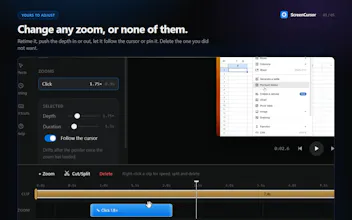
$49 once vs a subscription is the right pitch for this category, but I'm curious how the auto-zoom handles a fast, messy demo - lots of quick tab switches, rapid clicking around, no pauses. Does it still pick sensible zoom points, or does that kind of session end up needing a lot of manual "move it, resize it, delete it" cleanup after?
@galdayan yes!
@phoenixiam good to know, that's the part that would've made or broken it for me. does the extension expose any way to nudge a zoom point after the fact, or is the output meant to be final and any tweak means re-recording that section?