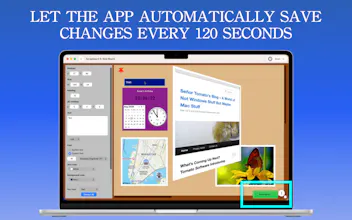
With a legacy spanning almost over 12 years, Scrapboard evolves the classic concept of a digital bulletin board—recreating the cozy feel of a family refrigerator door right on your desktop and mobile screens. Designed to work hand-in-hand with its iOS counterpart, Scrapboard Cloud 4, this desktop application lets you seamlessly share and sync your creative boards across all your Macs and iPads using your iCloud account.
Hello, Product Hunt! 👋
This is Tomato Software, the developer behind Scrapboard 4. Backing up nearly 12 years of legacy, Scrapboard has always been about one thing: capturing that cozy, creative, chaotic energy of pinning things to a family refrigerator door—right on your digital screens. With version 4, we want to completely rethink how a virtual bulletin board behaves on macOS.
Scrapboard 4 isn't just a single static board anymore. You can now manage multiple local projects, build multi-page virtual canvases, and effortlessly sync everything across your Macs and iPads using built-in CloudKit integration and instant push notifications.
What makes it powerful: You can build boards using 6 versatile layer types:
📝 Text: Full typography, font, and color controls.
🖼️ Picture: Drag-and-drop from disk or your Photos Library.
SF Symbol: Clean, native scalable Apple icons.
⏰ Appointment: Real-time countdowns and reminder intervals.
🌐 Web: Live embedded web content via URL.
📍 Map: Pinned GPS coordinates and landmark lookups.
Whether you're planning a mood board, tracking schedules, organizing creative assets, or just pinning reminders in a visual way, Scrapboard 4 gives you a canvas that feels genuinely alive.
We would love for you to check it out on the Mac App Store, play around with it, and let us know what you think! We are happy to answer any questions or hear your feature requests below. The following is its support webpage. https://blog.mhvt.net/?p=8098 . If you have a feature request, please let us know there. Cheers! 🚀
Quick Sub 2: Video Subtitling