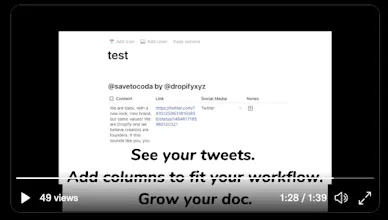
Capture new ideas on directly on Twitter by replying and mentioning @SaveToCoda to save them in your Coda doc. Don't interrupt your scroll, stay creative, stay right-brained. Then sit down, make, and stay organized on Coda.
No reviews yetBe the first to leave a review for Save to Coda
Viktor.comAn AI coworker that actually does the work
Promoted
Maker
Do you send yourself messages from content that inspires ideas to make something through Twitter or social media?
If you're like me you like to save content on social media, by sending messages to yourself, but then later find that you lose those precious notes. Most social platforms have a collection feature to help you organize ideas, problems, solutions, and inspiration you find, but you scroll on social media to consume not stay organized.
When I sit down in maker mode I like to use Coda.io, an all-in-one doc, to stay organized.
Creativity and organization are on complete opposite ends of the spectrum. Dare I say left brain vs. right brain.
@SaveToCoda allows you to stay creative and right-brained on social media, while not interrupting your scroll when sending content to Coda. Then when you sit down and start making things, and open up your Coda doc, all your saves are right there in a table. You can expand the table, link with other tables, and do all the other great stuff you can do in Coda to stay organized.
Here's the twitter thread outlining how to get started today: https://twitter.com/SaveToCoda/s...