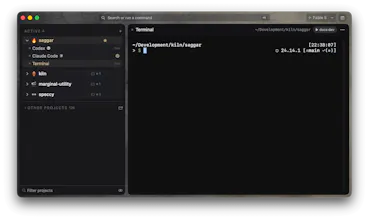
Run shells, dev servers, tests, and coding agents across several projects while Saggar tracks what is working, waiting, finished, and failed. Sessions that need a decision stay visible without pulling you away from the terminal you are using. Pair the Companion to check in and respond from your phone while you are away.
Hi Product Hunt! 👋
Like many of you talented folk, I’ve been building more, faster than ever. I built Saggar after my terminal stopped feeling like a tool and started feeling like a tab-management problem.
Once you have several projects open and a few coding agents running, the hard part becomes not being the bottleneck. Knowing which terminal has finished, which one is waiting for permission, and which one quietly failed ten minutes ago.
Saggar is a native macOS terminal app built around one question: which terminal needs me right now?
It groups terminals by project, tracks whether each session is working, idle, finished, failed, or needs you, and brings the important ones to the front. Press ⌘J to move through the attention queue instead of hunting through windows and tabs.
A few things I cared about while building it:
- Saggar introduces a new terminal interaction patterns that supercharge you as a developer, and feel obvious once you’ve used them.
- Native macOS app built with SwiftUI, AppKit, and SwiftTerm. No Electron.
- Works with ordinary shells as well as Claude Code, Codex, and Antigravity.
- Restores sessions and scrollback, tracks Git branches and worktrees, and keeps project scratchpads and commands in .saggar/.
- Includes split panes, terminal search, prompt jumping, quick commands, persistent monitors, and keyboard-first navigation.
- Optional remote control through the web Companion, with explicit pairing on the Mac and no inbound listener.
My personal favourite features are surprisingly the smallest - Quick Command (CMD + P, does the command in the background, disappears on success), Monitor view (CMD + SHIFT + M, sticks around), and ‘Run next…’ cues up a terminal to run after you close your current terminal.
Try it: brew install --cask mcclowes/saggar/saggar
Saggar requires Apple Silicon and macOS 26 Tahoe or later. You can watch the intro, read the docs, or download it at https://saggar.marginalutility.dev.