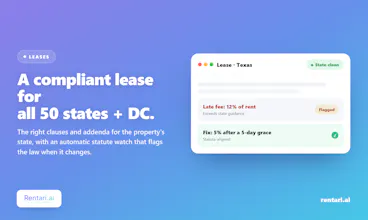
Rentari.ai is all-in-one property management software for landlords and property managers of all sizes that scales as you grow. 50-state lease coverage, no per-lease fee, free tier with unlimited units and screening included, AI that triages 80%+ of maintenance tickets and routes the vendor, FCRA-safe tenant screening, online rent collection, accounting with Schedule E export, plus tenant and vendor portals. Every AI draft logged beside the owner's one-click approval.
No reviews yetBe the first to leave a review for Rentari.ai
Maker
📌
Hey Product Hunt 👋 I'm Zahed, founder of Rentari.
We've spent the last four years building Rentari into the AI that actually runs a rental business and today we're bringing it to the Product Hunt community.
Most property-management software just stores your work… Rentari is built the other way around. The AI prepares the work and hands it to you for a one-click approval: [screening / leases / rent / maintenance / books]…
…Every action carries an audit trail, and the AI only reads your records. Landlords across all 50 states run their portfolios on Rentari today.
🎁 Product Hunt community offer: code PRODUCTHUNT for 14 days of Prime free. URL:https://www.rentari.ai/go
Report
Curious how the AI handles the maintenance triage in practice, like does it learn from my past vendor choices or is it more of a static routing rules thing, and what happens when it gets the urgency wrong?
Report
Maker
@feyza1144590 Great question, and it's the right one to ask. It's a mix, not static routing rules. When a request comes in it reads the description, and if the tenant attached a photo a vision model looks at the image to classify the issue and flag hazards. There's also a hard safety rule underneath the AI: anything reading as gas, fire, flood, or exposed wiring is forced to emergency regardless of what the model thinks.
The vendor pick is where your history comes in. It ranks your own vendors by how their past jobs actually went: tenant and landlord ratings, completion rate over their recent tickets, current workload, and whether they're near the unit. So it leans on your real outcomes rather than a fixed category-to-vendor table.
On getting urgency wrong: by default nothing is dispatched automatically. The AI drafts the assignment and you approve it in one click, so a bad call is caught before anyone is sent. When you change the priority or pick a different vendor, that's your decision on the record and it takes effect immediately. I want to be straight with you here rather than oversell: the triage doesn't yet train itself on your individual urgency corrections over time, and the one place real feedback compounds today is vendor ranking, which sharpens as you rate completed jobs. Every action and status change is logged with who did it and when.
Report
Managing a few duplexes myself, the maintenance AI routing sounds great. One thing that would save me real time is a built-in comparison view that shows vendor bids side by side for the same job, with ratings pulled from past ticket outcomes. Picking who to send feels like the slowest part right now.
Report
Maker
@eypqkxk You're closer to this than you might think, and also right about the gap. From a ticket you can hit "Compare bids," drop in the vendors' quotes, and the AI pulls them into a normalized side-by-side: total, labor, materials, warranty, and timeline broken out per vendor, plus a recommended pick with its reasoning. So the side-by-side itself is already there.
What it does not do yet is the exact thing you're pointing at: show each vendor's rating from past ticket outcomes right next to their bid. We already compute that score elsewhere (when the AI suggests a vendor it ranks them on prior ratings, completion rate, and workload), so the data exists, it just isn't wired into the comparison view. Stitching that rating in next to each bid is a genuinely good roadmap item and I'm noting it. Quick question since you run duplexes: would you want the recommended pick to weight that past-outcome rating alongside price, or keep price and reputation as separate columns so you make the call?
Curious how the AI handles the maintenance triage in practice, like does it learn from my past vendor choices or is it more of a static routing rules thing, and what happens when it gets the urgency wrong?
@feyza1144590 Great question, and it's the right one to ask. It's a mix, not static routing rules. When a request comes in it reads the description, and if the tenant attached a photo a vision model looks at the image to classify the issue and flag hazards. There's also a hard safety rule underneath the AI: anything reading as gas, fire, flood, or exposed wiring is forced to emergency regardless of what the model thinks.
The vendor pick is where your history comes in. It ranks your own vendors by how their past jobs actually went: tenant and landlord ratings, completion rate over their recent tickets, current workload, and whether they're near the unit. So it leans on your real outcomes rather than a fixed category-to-vendor table.
On getting urgency wrong: by default nothing is dispatched automatically. The AI drafts the assignment and you approve it in one click, so a bad call is caught before anyone is sent. When you change the priority or pick a different vendor, that's your decision on the record and it takes effect immediately. I want to be straight with you here rather than oversell: the triage doesn't yet train itself on your individual urgency corrections over time, and the one place real feedback compounds today is vendor ranking, which sharpens as you rate completed jobs. Every action and status change is logged with who did it and when.
Managing a few duplexes myself, the maintenance AI routing sounds great. One thing that would save me real time is a built-in comparison view that shows vendor bids side by side for the same job, with ratings pulled from past ticket outcomes. Picking who to send feels like the slowest part right now.
@eypqkxk You're closer to this than you might think, and also right about the gap. From a ticket you can hit "Compare bids," drop in the vendors' quotes, and the AI pulls them into a normalized side-by-side: total, labor, materials, warranty, and timeline broken out per vendor, plus a recommended pick with its reasoning. So the side-by-side itself is already there.
What it does not do yet is the exact thing you're pointing at: show each vendor's rating from past ticket outcomes right next to their bid. We already compute that score elsewhere (when the AI suggests a vendor it ranks them on prior ratings, completion rate, and workload), so the data exists, it just isn't wired into the comparison view. Stitching that rating in next to each bid is a genuinely good roadmap item and I'm noting it. Quick question since you run duplexes: would you want the recommended pick to weight that past-outcome rating alongside price, or keep price and reputation as separate columns so you make the call?