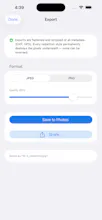
Redactly auto-detects sensitive info like bank numbers, emails, phone numbers, faces, addresses in any screenshot or photo, so you can hide it in one tap before sharing. Super easy to use: Blur, pixelate, or black-box. 100% on-device: nothing is uploaded, no account, no tracking. Works on photos and PDFs.
Hi everyone, I'm Jean-Michel, the maker of this new small app: Redactly.
This one started with a near-miss. I was about to send a background check company a screenshot of a W2 and caught and realize I needed quickly to remove sensitive data. I could not find an easy way to do this and some other app are too heavy or hard to use from a simple phone.
So I built Redactly to make hiding sensitive fields effortless. Open any screenshot or photo and it automatically finds the sensitive parts e.g., bank numbers, emails, phone numbers, etc. so you can blur, pixelate, or black them out in a tap before sharing.
The part I care most about: everything runs on your device. Nothing is uploaded, there's no account, and there's no tracking. A privacy tool that quietly phoned home would defeat the whole point, so it simply doesn't.
I'd really value your honest feedback. What does it catch well, and where does it miss things? That's what I most want to improve next.
Thanks for taking a look!
JM
Report
No reviews yetBe the first to leave a review for Redactly: Redact & Blur