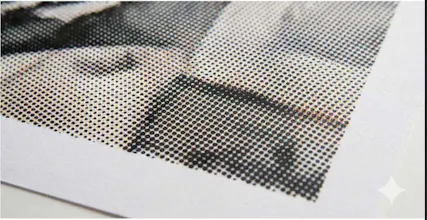
Rasterbator.app turns any photo into a printable multi-page poster PDF directly in your browser. Choose A4, Letter, A3, or a custom page size; set the page grid, margins, overlap, crop marks, and optional halftone effects; then download a ready-to-print PDF. Local files stay in the browser, no account is required, and generated PDFs have no watermark.
No reviews yetBe the first to leave a review for Rasterbator.app
Maker
📌
I rebuilt this because printing one image across several sheets still tends to involve old desktop software, printer-driver tricks, or tools that hide important sizing decisions.
Rasterbator.app keeps the workflow in the browser: upload a local image, choose the paper size and page grid, adjust margins and overlap, preview the layout, and export a tiled PDF. It also supports crop marks, page-position labels, color and black-and-white output, and optional circle, square, or line halftone effects.
The most difficult part was keeping the image aspect ratio, printable area, overlap, tile coordinates, and physical paper scale consistent while preventing very large jobs from exhausting browser memory. The app therefore shows explicit desktop and mobile limits instead of failing silently.
I would especially value feedback on the first-run workflow: which setting is hardest to understand, and what would stop you from trusting the generated PDF enough to print it?