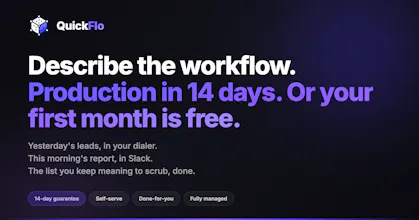
Describe the workflow. Production in 14 days or your first month is free. Build it yourself with our AI, have our team build it, or go fully managed. Workflow automation for consultants and ops teams - CCaaS, CRM sync, real-time triggers. What Zapier and n8n weren't built for.
No reviews yetBe the first to leave a review for QuickFlo
Maker
š
Hey Product Hunt š
I'm Zach, founder of QuickFlo. Built this after watching consultants and ops teams pay six-figure PS engagements for integrations that should've taken a week.
A few things that make it different:
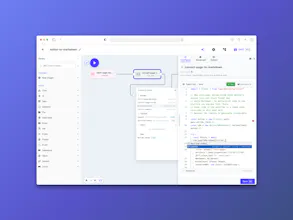
Describe the workflow, it builds itself. The AI Builder turns plain English into a working workflow in seconds. You can open any step and edit it - no black boxes.
Package once, resell forever. Build an integration for one client, ship it to every client after that as a reusable micro-app. Your config, your branding.
Real code steps. Deno runtime, full npm support for anything that isn't native/FFI. Cheerio, pdf-lib, notion-to-md, date-fns, whatever - it just works.
Error handling that actually catches errors. Most platforms miss an HTTP 400 wrapped in a 200 response. The step runs green, your data's wrong, nobody notices for three days. We catch it.
The guarantee: production in 14 days or your first month is free. Scoped workflows, 4 hours of build included per month. No retainer, no lock-in.
Built for the stuff Zapier and n8n skip - CCaaS, CRM sync, event-driven ops.
If you're a consultant or agency working with contact centers, CRMs, or ops teams, I'd love to talk about the partner model.
DMs open. You keep the client relationship and the margin. I handle the platform.
Ask me anything ā architecture, pricing, what we won't do.
ā Zach
Report
Hey there Zach! This is such an awesome concept - reminds me of the power-apps builder. When I had an operations based role, I wished for a "magic wand" like this several times. It just working across products is great - does it do the maintenance of the connector and or reporting on runs over time?
Yes on both, and they're the parts I care most about.
Connector maintenance is on us - OAuth refresh, retries, vendor API drift. Every step also ships with classified error codes, so the engine knows RATE_LIMITED retries with backoff and FILE_NOT_FOUND doesn't, without you writing that per workflow.
For reporting, every run produces a durable execution trace - input, output, timing, and operational errors per step ā queryable, exportable, and feeding into dashboards if you want run-quality KPIs (latency by step, success by connection, error trends).
The part I'd actually want you to see is the trace UI - pop any past run back into the builder and step through it like it's happening live, clicking each step to inspect what went in and what came out. Same view whether the run finished 3 seconds ago or 3 weeks ago. Closer to step-by-step debugging than a log file.
Hey there Zach! This is such an awesome concept - reminds me of the power-apps builder. When I had an operations based role, I wished for a "magic wand" like this several times. It just working across products is great - does it do the maintenance of the connector and or reporting on runs over time?
Hey @benskampsĀ
Yes on both, and they're the parts I care most about.
Connector maintenance is on us - OAuth refresh, retries, vendor API drift. Every step also ships with classified error codes, so the engine knows RATE_LIMITED retries with backoff and FILE_NOT_FOUND doesn't, without you writing that per workflow.
For reporting, every run produces a durable execution trace - input, output, timing, and operational errors per step ā queryable, exportable, and feeding into dashboards if you want run-quality KPIs (latency by step, success by connection, error trends).
The part I'd actually want you to see is the trace UI - pop any past run back into the builder and step through it like it's happening live, clicking each step to inspect what went in and what came out. Same view whether the run finished 3 seconds ago or 3 weeks ago. Closer to step-by-step debugging than a log file.