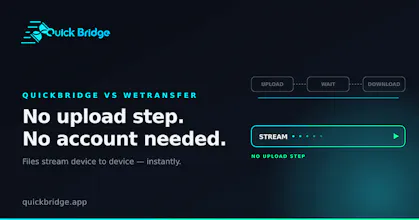
QuickBridge lets you send files, text, and clipboard between your phone and computer instantly right in the browser. Just open → scan QR (or enter PIN) → transfer. Standout features: True peer-to-peer WebRTC (nothing stored on servers) Works perfectly across iPhone, Windows, Android Mac, Linux Persistent QR code (survives reloads) Smart reconnect + resume support SAS emoji safety codes (verify connection security) Direct-to-disk saving on Chrome No accounts. No installs. No server storage.
Hey Product Hunt!

I built QuickBridge a fast, private peer-to-peer file, clipboard & message transfer tool.

Just open → scan QR (or enter PIN) → send instantly.
Works great between phone and computer (iPhone ↔ Windows, Android ↔ Mac, etc.).

Why I built it:
AirDrop doesn't work cross-platform, and most other tools upload your files to servers. QuickBridge uses true WebRTC — nothing is stored on any server (only lightweight signaling).

Standout features:
- Persistent QR code (survives page reload)
- Smart reconnect + transfer resume
- SAS emoji safety codes - visually verify the connection wasn't tampered with
- Direct-to-disk saving on Chrome (no RAM buffering for large files)
- Auto clipboard sync (opt-in)
- Cloudflare TURN fallback for difficult networks
- Fully installable PWA

Completely free, no accounts, no limits on the free tier.

Try it: https://quickbridge.app

Would love honest feedback, especially on:
- Mobile experience (iOS Safari / Android)
- Large file reliability
- Any connection issues you run into

Built with React 19 + TanStack Start, Supabase Realtime (signaling only), and WebRTC.

Thanks for checking it out!
Report
No reviews yetBe the first to leave a review for QuickBridge: AirDrop for Any Device