
Quantum AI: Voice Task Manager
AI voice assistant for tasks, reminders & team sharing
7 followers
AI voice assistant for tasks, reminders & team sharing
7 followers
Quantum AI is a voice-powered task manager, smart reminder app, and team productivity planner — all in one. Speak naturally to create tasks, set reminders, manage meetings, and share to-do lists with your team or family. No typing. No friction. You lead, we handle. Just say: "Remind me to call the client at 3 PM" — and it's done. One voice command creates the reminder, sets the notification


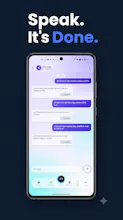


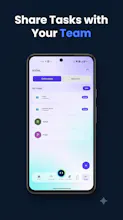
Hey Product Hunt 👋 Parvez here, solo founder of Quantum Assistant.
For over sixteen years I managed facility operations and workplace teams inside large companies. Every single day looked the same. Check the dashboard for KPIs in one app. Open another app for meeting notes. Set reminders in a third. Chase my team on WhatsApp to find out if a task actually got done. None of these tools talked to each other, and none of them let my team see what I could see.
So I built the tool I wished I had.
Quantum Assistant puts your dashboard, meetings, reminders, and tasks in one place. But the part I am most proud of is something I have not seen in any other productivity app. You can share your task list and your reminders socially, right inside the app. Your team can actually see the live status of a task. No status update meeting. No "did you finish that yet" message. Just open the app and look.
Add an AI Chat that understands 107 languages, and suddenly a distributed team across regions and languages can plan, assign, and follow up without friction.
A few ways people are already using it:
Facility and operations teams share a daily task list so every shift knows what is pending without a handover call.
Small teams share reminders for recurring compliance or maintenance checks so nothing slips through when someone is on leave.
Managers glance at the dashboard each morning instead of asking five people for five updates.
I launched in April 2026 and I am doing this the hard way, building the product, the marketing, and the community myself. I have real users I have never met, which tells me the problem is real even before I had budget to prove it.
If you run a team that still updates each other over chat messages, I would love for you to try it and tell me what breaks. I will be reading every comment today.
Parvez
Voice capture actually understood my messy "remind me Thursday morning about the Smith follow up" without me repeating myself, which is rare. Wish the free tier had more than a handful of reminders but the dictation itself is impressively accurate.
@ahinonom Thank you for trying it out and for the honest word on the dictation — that accuracy was something we worked hard on, so hearing it hold up in real use means a lot. Quick note: the entire app is free to use, no paid tiers or limits on the core features — the only thing gated is the social/shared reminders and to Do piece. Would love for you to explore that side too and see how it fits your routine — let me know what you think once you've poked around a bit more!
Honestly surprised how well the voice commands worked for setting meetings with my team. The reminder flow is genuinely fast.
@erdoanzeli11209
Thanks so much, Erdoğan — glad the voice commands felt fast and natural for setting up meetings, that was exactly the goal. One thing worth flagging: the app is completely free end to end, no restrictions on the core task/reminder features — the only limited part is social sharing. Since you're already using it with your team, you might really like the shared reminder/to-do flow too — would love to know how that lands for you once you've tried it.