QuackScreen is a native macOS notch app for quick screen recordings and screenshots. Drag and drop clips straight from the menu bar into Slack, Mail, Finder, or any app. macOS 26+, Apple silicon.
Hey Product Hunt 👋
I built QuackScreen because every time I needed to share a quick bug report, UI issue, or async walkthrough, the workflow felt unnecessarily slow:
Record → wait for upload → copy link → paste link → wait.
All that for a 12-second clip.
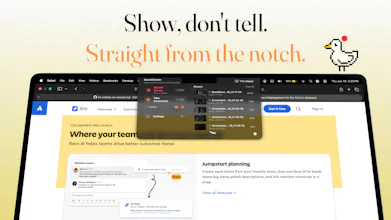
QuackScreen lives right inside your Mac's notch.
⌘⌥⇧R → Start recording
⌘⌥⇧S → Take a screenshot
Supports region selection for both recordings and screenshots
Your capture instantly appears in a notch popover, ready to drag directly into Slack, Linear, Mail, Finder, or any other app. No uploads. No links. No extra steps.
### What's included in v1
• Region screenshots and screen recordings
• Annotation editor (pen, arrows, rectangles, highlights, blur)
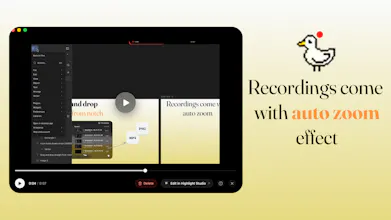
• Cursor-following zoom for recordings
• System-wide keyboard shortcuts
• Microphone selection
• Drag-and-drop sharing from the notch into any app
Built natively for macOS 26+ on Apple Silicon.
No Electron. No accounts. No subscriptions.
Free to try, with a Product Hunt launch discount: $20 lifetime using code PHLAUNCHJUNE2026 (regular price $30).
Would love your feedback and feature requests ❤️
Report
The notch integration is actually clever - been ignoring that real estate for 3 years and this is the first tool that makes it feel like a feature rather than a design compromise. The drag-to-share flow is the kind of thing that sounds gimmicky until you use it and realize you've been doing it the slow way forever. Does it handle multi-monitor setups where the notch screen is secondary? That's the one edge case I hit constantly with menu bar tools.
@galdayan it creates a fake notch there too, so you always have it, in future we might have opacity style so it’s not just black
Report
The drag-from-notch workflow feels really practical. For quick bug reports or UI feedback, skipping uploads, links, and extra sharing steps could save a lot of small interruptions.
Report
the notch-drag-into-slack flow is the whole game — make-or-break is the clip being encoded on disk before i grab it vs a file-promise finishing on drop. that gap is where most capture tools fumble.
Report
the notch as a drop target looks like a genuinely good call! its dead space on every mac I guess. Congrats on the launch!
Capturing, dragging, and sharing directly from the MacBook notch is such a clean use of existing hardware. I love products that turn something people overlook into a genuinely useful workflow improvement.
We're also launching Blazly Backlinker today, helping marketers automate backlink discovery, outreach, and guest posting from one place.
Would love to hear your thoughts if you get a chance to check us out as well. Wishing you an amazing launch day! 🎉
AgentNotch
The notch integration is actually clever - been ignoring that real estate for 3 years and this is the first tool that makes it feel like a feature rather than a design compromise. The drag-to-share flow is the kind of thing that sounds gimmicky until you use it and realize you've been doing it the slow way forever. Does it handle multi-monitor setups where the notch screen is secondary? That's the one edge case I hit constantly with menu bar tools.
AgentNotch
The drag-from-notch workflow feels really practical. For quick bug reports or UI feedback, skipping uploads, links, and extra sharing steps could save a lot of small interruptions.
the notch-drag-into-slack flow is the whole game — make-or-break is the clip being encoded on disk before i grab it vs a file-promise finishing on drop. that gap is where most capture tools fumble.
the notch as a drop target looks like a genuinely good call! its dead space on every mac I guess. Congrats on the launch!
AgentNotch
@artstavenka1 yeah, it seems to be perfect for it, and I always need to drag and drop something across apps
Looks clean. Native macOS apps that do one thing really well are becoming surprisingly rare.
AgentNotch
@workout097_collab clean ui and making everything streamlined was very important design decision overall. Notch is perfect for quick actions.
Blazly Backlinker
Hey QuackScreen team! 👋
Congrats on the launch! 🚀
Capturing, dragging, and sharing directly from the MacBook notch is such a clean use of existing hardware. I love products that turn something people overlook into a genuinely useful workflow improvement.
We're also launching Blazly Backlinker today, helping marketers automate backlink discovery, outreach, and guest posting from one place.
Would love to hear your thoughts if you get a chance to check us out as well. Wishing you an amazing launch day! 🎉