Tines The single, secure environment for agents, apps, and automations.
Promoted
Maker
📌
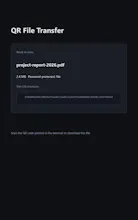
qrtransfer serves one or more files, directories, or text snippets
over HTTP on your LAN and prints a scannable QR code in the terminal.
Scan it with your phone's camera and the download starts immediately -
no cloud, no accounts, no third-party uploads. It also works in
reverse: `qrtransfer receive` prints a QR code that opens a page where
your phone can upload files straight to your computer.
Key Features:
- Send anything: files, whole directories (auto-zipped), or text
snippets.
- Receive mode: upload files to your computer from your phone via a
web page with drag-and-drop and multi-file support.
- Password protection via URL param or X-Password header; the QR code
embeds the param so scanning still works.
- Link expiration: the link dies (HTTP 410) after a configurable
number of seconds.
- Download counting: stop after the first download (default), after N,
or keep serving until you stop it.
- Unguessable URLs from Python's secrets module.
- Self-signed TLS (--tls) and IPv6 support.
- Persistent settings: your interface and port are remembered across
runs.
- Transfer history: the last 200 transfers, viewable with --history.
- Streaming uploads with filename sanitization and a size cap.
- No web framework, no database - just the Python standard library
plus a few small packages.
Why you'll love it:
- Works everywhere: Linux, macOS, and Windows (Python 3.9+).
- Dead simple: no config files to fight, no accounts, no servers.
- Privacy-first: files never leave your LAN unless you deliberately
port-forward.
- Open source (MIT) and free.
Links:
- GitHub: https://github.com/rkriad585/qrt...
- Docs: https://rkriad585.github.io/qrtr...