Practice the 24 most commonly asked JavaScript interview questions using a real code editor, an optional AI panel that explains why your answers fail, a test suite to run your answers against. Progress tracking across easy, medium and hard questions that mimic the interview process.
Hey Product Hunt 👋
I’m Michael, a software engineer based in London. Over the past 7+ years, I’ve been on both sides of JavaScript interviews, and live coding is still the part I find hardest. I’m generally quite an anxious person, and I’ve never done particularly well when coding in front of someone and being probed more deeply about my solutions.
I built Practice Pad to help me properly master these concepts through repetition, with the hope that feeling more prepared would help reduce my anxiety when it came to the real thing.
It’s a focused macOS app for working through 24 of the most commonly asked JavaScript interview questions at your own pace.
It includes:
🧑💻 A live Monaco editor
✅ Runnable tests with clear results
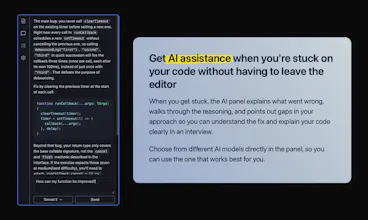
💡 Optional AI guidance when you’re struggling
🔄 JavaScript and TypeScript support
📈 Progress tracking across every question
The AI guidance helps you understand where you might be going wrong without immediately giving away the solution. You can also use the app entirely without it.
Practice Pad is completely free and available for Apple Silicon Macs.
I’d especially love feedback on the questions and whether you think I’ve missed any obvious ones.
Thanks for taking a look!