
Power Tracker
Turn billable hours into ready-to-send invoices
5 followers
Turn billable hours into ready-to-send invoices
5 followers
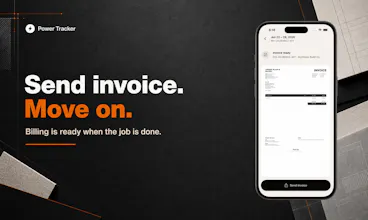
Power Tracker helps independent hourly workers track job time, breaks, overtime, client rates and notes from their iPhone, then turn reviewed hours into a clean PDF invoice. It is iPhone-only for now, built for contractors, cleaners, handymen, tutors, freelancers and field service pros who want a simpler path from work done to invoice sent without full accounting software.


Free Options
Launch Team

Context.devAPI to scrape anything for AI, 20,000+ developers trust us.
Promoted
How does it handle sending the PDF invoice, is it through the app or just exported to email? Also wondering if there is any built-in way to track which client has already paid versus outstanding ones.
@oktaypo8 Thanks for asking, Oktay.
The PDF is generated inside Power Tracker. From there, you can share it through the phone's native share menu, so email, save to files, messages, WhatsApp, or whatever workflow you prefer.
And yes, there is invoice status tracking too. In the Invoices tab, you can mark invoices as paid or unpaid, which makes it easier to see what has already been settled and what is still outstanding.
the break and overtime tracking feels built by someone who actually did this kind of work, not just guessed at it. exporting to a clean pdf invoice without logging into a portal is a nice touch for a quick turnaround.
@sukruu12032 Exactly, and thank you for saying that.
I built Power Tracker from my own workflow first. I needed a simple way to track billable work, review the hours, and turn everything into a clean invoice without rebuilding it later from notes, texts, screenshots, or memory.
Now that the flow is working properly end to end, I'm making it available to other independent hourly workers too. The PDF flow is intentionally simple: generate it in the app, then share it with the phone's native share menu.