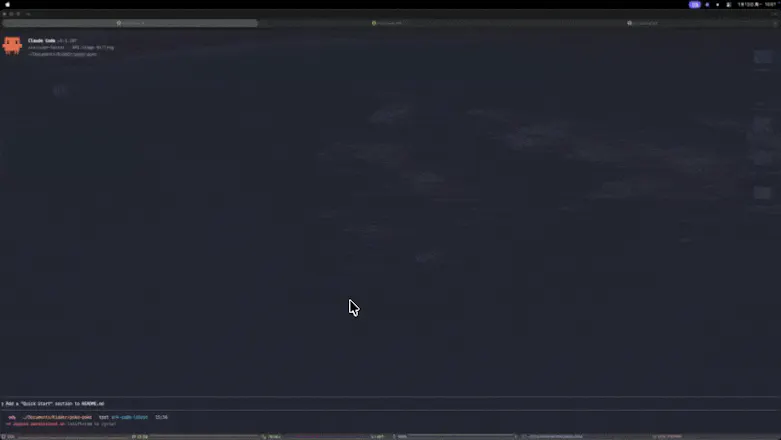
PokePoke aggregates hook events from your AI coding agents into your macOS menu bar. When an agent finishes, waits for input, or errors, a floating popup nudges you — one click or ⌘N jumps back to the terminal. Everything runs locally. No telemetry.
Hey Product Hunt 👋
This is my first product. Some honest context on how it came to be:
I use Claude Code, Cursor, and Codex CLI daily, and lately my
workflow has turned into running 2–4 agent tasks in parallel.
The terminals do show notifications when something finishes or
needs input — but they flash by in a corner and I miss them
constantly. Half of my "productivity gain" was going into just
context-switching between windows to check who's done.
So I built PokePoke as a scratch-your-own-itch fix: a menu bar
app that catches hook events from my agents and shows a popup
that *stays on screen* until I actually deal with it. Not a
toast that disappears. Not something I have to check manually.
Just a persistent nudge — click it or press ⌘N and it jumps
you right back to the terminal window that fired it.
That "jump back to the right terminal" part was the second
pain: with 4 agents in flight, I never remembered which
window was which. Solving that felt like the moment PokePoke
went from "toy" to "I actually can't work without this now."
Since it genuinely made me faster, shipping it publicly to
earn some tokens felt natural — tokens keep getting more
expensive, and I want to keep building 🙂
One honest note: while preparing this launch I discovered
projects like Vibe Island / Open Vibe Island that put agent
status right into the Dynamic Island. They're beautiful, and
seeing them mid-launch was pretty deflating for a moment.
But I'm still shipping PokePoke, because I believe the
persistent floating popup is actually a *more efficient*
solution than a passing indicator — especially when you're
juggling multiple agents and one flash is easy to miss.
Free tier: 20 pings/day
Launch week early bird: Lifetime $14.99 (regular $19.99)
Would love your honest feedback 🙏
→ https://pokepoke.app/
Report
The hookup with my coding agents works great, but I'd love a way to snooze notifications for a set period, like 30 minutes during deep focus. Right now I sometimes miss real errors when I mute the terminal for a while, so a simple "pause PokePoke" toggle with a countdown would be a nice add.
Report
Maker
@serhatmant9b7b Thank you for using it. It's a great idea, and I will add this feature as soon as possible.
Report
Maker
@serhatmant9b7b Good news — v1.1.1 ships exactly this: Quiet Mode.
Pick a duration (5/15/30/60 min) and PokePoke holds the alert sounds until the countdown ends. Popups still appear as usual, so nothing slips through — when you're back, one click takes you straight to the right session. A countdown sits in the menu bar so you can see the time left, and you can end it early anytime.
Trigger it with ⌘; , or from the Settings window. This one came straight from your feedback — thanks for the suggestion, and happy deep-focusing!
Report
Love that it lives quietly in the menu bar instead of demanding another full window. The one-keystroke jump back to the terminal is the kind of small detail that actually changes how a tool feels day to day.
Report
Maker
@selim380478 Really appreciate you giving poke-poke a try! 🙌 Wishing you a happy vibe coding journey. If you have any questions or ideas, drop them in a GitHub issue — I'll actively iterate and ship improvements.
Report
The floating popup actually beats me back to my terminal faster than I noticed the agent had stopped. Love that it stays local with zero telemetry.
Report
Maker
@cemgmlcnehrtm Really appreciate you giving poke-poke a try! 🙌 Wishing you a happy vibe coding journey. If you have any questions or ideas, drop them in a GitHub issue — I'll actively iterate and ship improvements.
Report
Reviews
No reviews yetBe the first to leave a review for PokePoke
The hookup with my coding agents works great, but I'd love a way to snooze notifications for a set period, like 30 minutes during deep focus. Right now I sometimes miss real errors when I mute the terminal for a while, so a simple "pause PokePoke" toggle with a countdown would be a nice add.
@serhatmant9b7b Thank you for using it. It's a great idea, and I will add this feature as soon as possible.
@serhatmant9b7b
Good news — v1.1.1 ships exactly this: Quiet Mode.
Pick a duration (5/15/30/60 min) and PokePoke holds the alert sounds until the countdown ends. Popups still appear as usual, so nothing slips through — when you're back, one click takes you straight to the right session. A countdown sits in the menu bar so you can see the time left, and you can end it early anytime.
Trigger it with ⌘; , or from the Settings window. This one came straight from your feedback — thanks for the suggestion, and happy deep-focusing!
Love that it lives quietly in the menu bar instead of demanding another full window. The one-keystroke jump back to the terminal is the kind of small detail that actually changes how a tool feels day to day.
@selim380478 Really appreciate you giving poke-poke a try! 🙌 Wishing you a happy vibe coding journey. If you have any questions or ideas, drop them in a GitHub issue — I'll actively iterate and ship improvements.
The floating popup actually beats me back to my terminal faster than I noticed the agent had stopped. Love that it stays local with zero telemetry.
@cemgmlcnehrtm Really appreciate you giving poke-poke a try! 🙌 Wishing you a happy vibe coding journey. If you have any questions or ideas, drop them in a GitHub issue — I'll actively iterate and ship improvements.