
Pitop Viewer
A lightweight image & video viewer for macOS
2 followers
A lightweight image & video viewer for macOS
2 followers
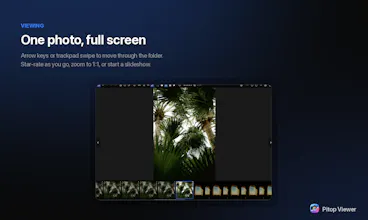
Pitop Viewer is a lightweight image & video viewer for macOS, built with Tauri (Rust + the system WebView): a 21 MB download instead of hundreds. Native HEIC & RAW, video playback, light editing (rotate/crop/adjust/filters/EXIF), thumbnails, slideshow and a GPS map. Free & open source (GPL-3.0), auto-updating, Homebrew install.



Launch Team

Framer AI AgentsDesign and publish professional sites with AI
Promoted
Hi Product Hunt 👋
I built Pitop Viewer because Preview kept letting me down. My iPhone shoots HEIC, my camera shoots RAW, and browsing a folder of a few hundred of those on a Mac was slow — or meant importing everything into a library first.
So I wrote a viewer that just opens a folder. HEIC, RAW from nine brands (CR2, NEF, ARW, RAF, ORF, RW2, DNG…), video, and the usual formats. No import, no account, no subscription.
A few choices I care about:
• It's a 21 MB download, about 48 MB installed. Built in Rust with Tauri, not Electron — it opens instantly and doesn't eat your battery.
• Editing is deliberately light: rotate, crop, adjust, filters, EXIF. Every write is atomic, so a crash can never corrupt your original.
• It reads your files where they live. No library, no catalogue, no lock-in.
• Free and open source (GPL-3.0).
One honest caveat: it's signed but not notarized yet (no paid Apple Developer account), so a direct download gets blocked by Gatekeeper on first launch. Homebrew handles that for you:
brew tap christophepicot/tap https://gitlab.com/christophepicot/homebrew-tap
brew trust christophepicot/tap
brew install --cask pitop-viewer
It's a solo side project I've been shipping for a while — currently v1.25.20. Happy to answer anything, and genuinely keen to hear what breaks for you.