
Pines Voice
Dictation for the Mac that works offline in any app
2 followers
Dictation for the Mac that works offline in any app
2 followers
Pines Voice puts dictation in every Mac app. Hold or tap the right Option key, say the sentence, let go, and the words appear at your cursor in any app with a text field. It runs on local models by default, and it works offline. For cloud models you can add your own OpenAI, Groq or OpenRouter key and see the cost of each dictation beside the transcript. A dictionary spells names your way every time. Free, the whole app with no word limit.




Hi Product Hunt. Pines Voice is live and you can download it right now.
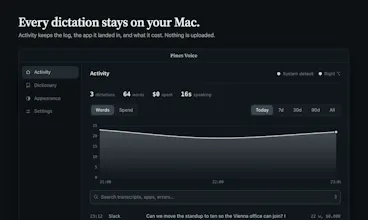
I built it because dictation on the Mac either lives inside one app or sends your voice somewhere. Pines Voice works in every app with a text cursor and keeps your voice on your Mac. Hold or tap the right Option key, talk, let go, and the text is typed where your cursor is. The default engine runs locally on Apple silicon, so it works on a plane and nothing is uploaded. If you want a cloud model, add your own key and the app shows what each dictation cost. There is a dictionary for names, an activity log kept on your Mac, and six themes that follow light and dark mode.
I use it every day and it is how this comment was written. It is free, the whole app with no word limit. You sign in once with Google or email.
Which app do you dictate into most? I want to hear what gets in your way.