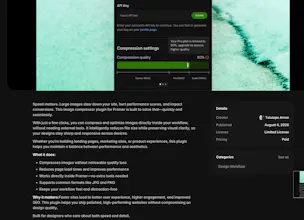
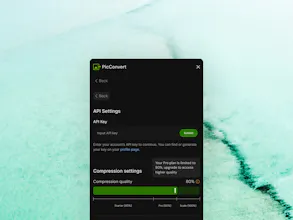
Compress Images Without Leaving Framer 🚀 Image optimization shouldn’t slow down your design workflow. This plugin lets you compress images directly inside Framer, eliminating the need to switch between multiple tools just to reduce file sizes. With faster image optimization, you can improve website performance, reduce loading times, and stay focused on what matters most: designing and building.
Framer AI AgentsDesign and publish professional sites with AI
Promoted
Maker
📌
Product Hunt First Comment
Hey, Product Hunt! 👋
I’m excited to finally share my Image Compression Plugin for Framer with the community. 🎉
This plugin was born out of a problem I kept running into as both a product designer and a Framer developer.
My workflow usually looked something like this:
1. Export an image.
2. Open a separate image compression tool.
3. Upload the image.
4. Download the compressed version.
5. Return to Framer.
6. Upload the image again.
Repeating this process over and over became frustrating, especially when working on larger projects with dozens of images.
I realized that image optimization shouldn’t require leaving the design environment. It should be a natural part of the workflow.
That’s why I built this plugin.
The goal was to create a simple tool that allows designers and developers to compress images directly inside Framer while maintaining image quality and improving website performance.
What the plugin helps you do:
✅ Compress images without leaving Framer
✅ Reduce file sizes while preserving quality
✅ Speed up your workflow
✅ Improve page load times
✅ Eliminate unnecessary context switching
Whether you’re building landing pages, portfolios, SaaS products, e-commerce websites, or client projects, optimized images can have a huge impact on performance and user experience.
This is my first Framer utility plugin, and I’m incredibly excited to share it with the community.
I’d love to hear your feedback, feature requests, and suggestions.
Thank you for checking it out, and thank you for your support! 🚀