A New Way to Manage Your Clipboard History. Keeping tracking your copied content. 1. THE BEST WAY TO PREVIEW COPIED CONTENT 2. SEARCH FILTER 3. SAVE COPIED CONTENT TO FILE 4. MULTIPLE ITEMS OPERATION 5. DIRECTLY PASTE TO CURRENT APP 6. QUICK SWITCH CLIPBOARD
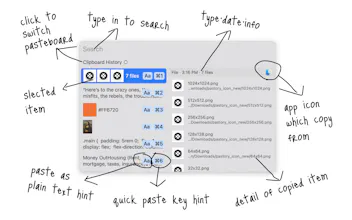
Welcome to Pastory, it is a clipboard manager, a new way to manage your clipboard history.
With it, you can keep tracking your copied content.
**THE BEST WAY TO PREVIEW COPIED CONTENT**
Preview Plain Text, Rich Text, Image, File, Color, and Link in the best way.
- View all text content.
- Files in a list.
- Hex color preview, support most formats.
- Link preview in built-in browser.
**SEARCH FILTER**
Filter copied content type when searching.
Support text, plain_text, rich_text, color, file, image and link.
**SAVE COPIED CONTENT TO FILE**
Save copied content to a file, and no loss of format.
**MULTIPLE ITEMS OPERATION**
Paste, copy, cut, move, delete and save multiple copied content.
**DIRECTLY PASTE TO CURRENT APP**
Just one click paste copied content to current running app.
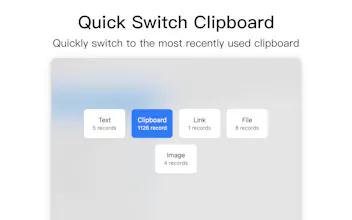
**QUICK SWITCH CLIPBOARD**
Quickly switch to the most recently used clipboard.
**CONTACT**
Contact us via contact[at]binaryegg.com, or visit binaryegg.com to learn more.
Pastory - Clipboard Manager