
PasteKey
Extension, auto fill forms, copy paste, effectively, work
12 followers
Extension, auto fill forms, copy paste, effectively, work
12 followers
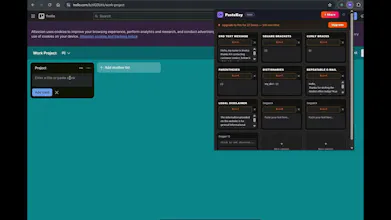
PasteKey is a extension to perform multiple tasks for you with one keyboard stock. Ctrl+Shift+1 can fill a whole form within seconds. Insert clicks for buttons and clicks for drop down menus, insert text for boxes. PasteKey is completely customizable to your forms, emails, or any page in a web browser. Take the brain drain out of your job with PasteKey. No account needed. Install and start setting hot keys to your keyboard and start pasting.


Free Options
Launch Team / Built With


Render: Get up to $100K in startup creditsThe fastest way to deploy and scale apps and agents
Promoted
@solfinder Congratulations on the launch. I just upvoted PasteKey. I like the focus on removing repetitive work without adding unnecessary setup. How are you handling dynamic forms where field positions or page layouts change?
@spotch_founder Thank you for reaching out and up voting PasteKey! PasteKey has a fill form that you can completely customize. Each form is different and they do change quite often. In PasteKey you create a list to fit your form or create multiple different lists for different forms. Your customized list can be contained of button clicks and text box fills, you can even add Tab or enter keyboard strokes, these can easily be edited or moved around by clicking and dragging them. With some time and testing you can create the list to fill any form on a chrome or edge website. If the form changes with IT/web updates you can easily change your customized list you created to be optimize easily again to have everything in the form filled again within seconds. There are guides in the settings of the extension. If you have any questions or if a form does not fill the way you need it to, please contact me here or my email address that can be found in the chrome extension main page.