Launching today

Paste Image to Download
Paste an image, download it. Free, nothing uploaded.
1 follower
Paste an image, download it. Free, nothing uploaded.
1 follower
Copy an image, press Ctrl+V, and it downloads as a file. Works with Google Docs and Slides images, screenshots and dropped files. Convert to PNG, JPG or WebP. Free, no account, and nothing is uploaded because it runs in your browser. Link: https://pasteimage.net/paste-image-to-download/
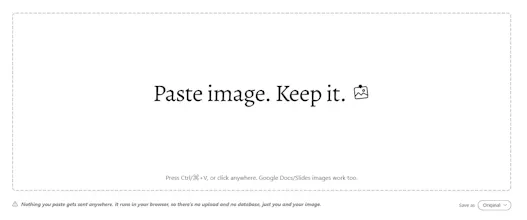


Hi, Justin Walker walks in. I kept screenshotting images in Google Docs because there’s no Save option.
You copy an image, press Ctrl+V (⌘+V on a Mac), and the file downloads. You can also click the box, right-click and choose Paste, or drop an image onto it.
A few details:
Google Docs and Slides images work, which was the original reason for building it
The last five downloads are kept on your device for 24 hours, with a Clear history button
A Save as menu converts to PNG, JPG or WebP, and Original keeps the file as copied
Nothing is uploaded, because everything runs in your browser
One limit to know: click-to-paste needs a secure page and your browser’s clipboard permission, and Ctrl+V works without either.
Try it, and lemme know which images or apps it fails on, so I can fix them.