Launching today

Open Draw
Draw over any web page while you teach or present
6 followers
Draw over any web page while you teach or present
6 followers
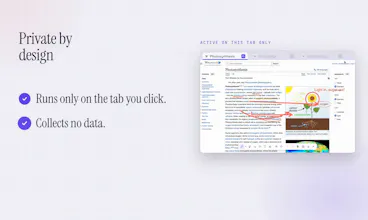
Built for teaching and presenting from a live web page, not a screenshot of one. One keystroke and you're drawing; single keys switch tools, so you never hunt for a toolbar mid-sentence. Pen, highlighter, four arrow styles, six shapes, text notes, a fading laser, and a spotlight that dims all but your point. Your marks save per page and reappear when you return. Export as PNG or re-import later. No account, no network requests, nothing collected. 148 KB, 9 languages, Chrome and Firefox.




Hey PH Community! I'm Praveen from Thousand Miles. We make teaching videos and run
live sessions walking people through web pages, and I was tired of the same thing
happening every time: you point at something with the cursor and nobody follows it,
so you end up screenshotting the page just to circle one button while the real page
sits there.
We built Open Draw to take that friction out. It's 148 KB, no account, nothing to
set up. One key to start, one key per tool. Draw straight on the live page, scroll
normally, and come back tomorrow to find your marks still there. Pen, highlighter,
arrows, shapes, text, laser pointer, and a spotlight that dims everything else.
It's been our daily tool for Riverside recordings and live sessions for a while
now, and we figured we'd put it out rather than leave it sitting in our repo.
Chrome and Firefox, 9 languages, free.
Excited to hear what you'd use it for. Drop your use cases or questions below, and
we'll be around all day!