
Offduty
Hold your Gmail. Deliver it in batches on your schedule.
15 followers
Hold your Gmail. Deliver it in batches on your schedule.
15 followers
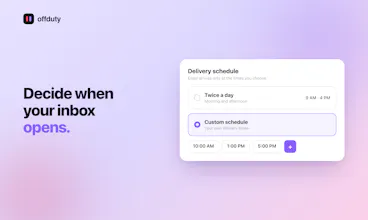
Offduty holds your incoming Gmail and delivers it in scheduled batches you choose: 9am and 4pm. VIPs keywords, emails and domains get through instantly, Do Not Disturb can block the rest. It works inside Gmail, no new email client needed. 30-day free trial, no card needed.




Hello Product Hunt 👋
I'm Fynn from DiscoveryCo, we offer podcast post-production and productivity tools. Working with clients all over the world means emails arrive around the clock, and for a long time that felt fine, even productive. Then I noticed I was checking my phone the moment I woke up and the first thing I'd see every morning was a screen full of work emails. That's not a great way to start day.
The problem wasn't the emails themselves. It was that my inbox had no concept of my schedule. Clients emailed me during their working hours, which was often my evenings and nights, I felt a constant pull to read and respond. I turned on every Do Not Disturb and focus mode I could find. On my phone, my laptop, everywhere, but the emails were still waiting, just one accidental glance away. The problem was never the notifications, the problem was that email just arrived even when I was “offduty”.
So I built offduty.
It holds your Gmail inbox and releases it in batches at times you choose. Your inbox is quiet until you decide it shouldn't be. Since switching to it myself, I’m more productive, calm and in control.
It works inside Gmail, with whatever email client you already use. No migration, no new app to learn.
What it does:
📥 Scheduled delivery: Choose exactly when your inbox opens. Twice a day, once a day, or a fully custom schedule.
⭐ VIP bypass: Add specific senders, domains, or keywords and they skip the hold entirely.
🚚 Deliver on demand: Expecting an important email? One tap releases everything early. You stay in control.
⏸️ Pause holding: Need email to flow normally for a while? Pause the hold temporarily without touching your schedule. It picks back up on its own.
🔢 Live held count: You always know exactly how many emails are waiting. No mystery, no anxiety about what might be piling up. Optionally hidden.
💤 Do Not Disturb: Set a daily quiet window. Nothing gets through during those hours.
We've had a group of people using it for a while, the consistent thing I hear is that the VIP setting changed how they think about their inbox. Instead of treating every email as potentially urgent, they've set the rules for what actually is. I use the VIP whitelist for my most time-sensitive clients. Everything else waits.
As a thank you to the Product Hunt community, use PRODUCTHUNTOD at checkout for 15% off your first year. New accounts also get a 30-day free trial, no card required.
If you try it, I'd love to hear what delivery schedule you land on. I'm also here to answer every question.
How does it handle replies though, like if someone responds to an email already in a batch does that one come through right away or wait for the next scheduled delivery?
@makbulemest Thanks for asking. Replies are treated like any other incoming email. Each message is checked independently the moment it arrives, so a reply always waits for the next scheduled delivery unless the sender's on your VIP list.
One thing you might notice is that if you open Gmail directly and you haven't archived the chain, you can sometimes see a reply before it's technically "delivered" by Offduty. That's just how Gmail displays conversations, it shows a whole thread if any single message in it is sitting in your inbox, even briefly. Offduty still holds that new message, you won't immediately receive a notification and it'll land with everything else at your next scheduled time.
Scheduling Gmail into 9am and 4pm batches is such a simple idea, I'm surprised no one nailed it earlier. The VIP keyword whitelist inside Gmail itself is what sold me, no extra tab to babysit.
@arinburtakpq70 I'm happy to hear you like the idea. It's changed the way I work. I'm not the first to have the rough idea, but my implementation is perfect for my use case. It's designed to be set, forget and feel the difference.
I love this tool. Gives me my focus back.
@bob_gentle1 Thank you. Your insights helped me create Offduty.