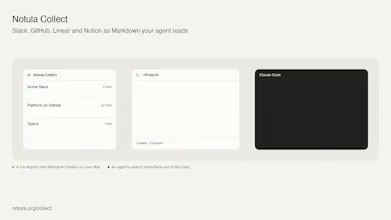
Notula Collect exports Slack, GitHub, Linear, Notion and Google Docs into Markdown folders on your own machine, on a schedule. It indexes them with a local model, so AI can search them by meaning. It can also commit and push the exported files to a Git repo (optional). It never writes back to those services. Your agent reads the files instead of calling an API. macOS and Windows. No server, no account, free.
I had mdexport and a Slack scraper. I thought it would be good to have one app where I can configure exporting.
Then the part I actually needed turned out to be a different one. My Google Docs export failed on every run from 29 April to 14 September and I did not notice. Entech's Slack token had been revoked and it looked the same: a workspace that needs a new sign-in looks exactly like a working one until a run fails. The failure was in a notification that disappeared.
So Collect is a menu bar app. It exports Slack, GitHub, Linear, Notion and Google Docs into Markdown folders on my Mac, on a schedule, and keeps a local search index current, so Claude Code can find the thread where we decided something. It only reads. When a source breaks or a sign-in expires, it says so on the icon and in a notification that stays until I deal with it.
Two things I would rather say than have you find. Google is a real OAuth sign-in, but Slack is a sign-in inside the app, and Slack can end that session, so it will ask you again from time to time. And the export is only as fresh as the schedule you set. That is the trade, and it buys the thing I wanted: nothing sits in the context window until the agent goes looking.
It is free and it stays free. Collect is how Notula gets its files, and Notula is the product.
macOS is signed and notarised. Windows is not signed yet, so SmartScreen asks once. Linux is not built.
I would like to know which source you would add first.