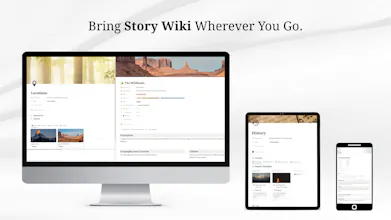
Specially designed for authors, screenwriters, & other storytellers, this Notion template will help you plan, plot, worldbuild, write, and finish your story. 20+ modules and 38+ templates to help you flesh out your narrative and the world it takes place in.
Viktor.comAn AI coworker that actually does the work
Promoted
Maker
Hello, and thank you for checking out Story Wiki, which is completely free until June 21, by the way.
Last year, I was looking for a way to organize all my characters, notes, plotlines, and world information for a show script I was writing. I had been searching for a software that would allow me to store important worldbuilding info, plot my story on a timeline, and write in screenplay format at the same time. I also wanted something I wouldn't have to pay $100 per year for.
I didn't find any such software, so I made this, completely in Notion.
If you're in need of a way to organize your own story and worldbuilding notes, struggling with writer's block, or tired of paying for expensive writing software, Story Wiki is for you!
💡 Core Features:
🌍 Build your world without limits: Story Wiki contains 38+ thought-provoking templates for characters, species, groups, flora, cultures, lore, history, languages, and more. These templates can be customized, modified, and personalized to any degree. Relations between pages allow for easier navigation and visualizing connections between story elements.
📒 Keep your notes & research close as you write: View your notes, research, and scenes while you write chapters or scripts. There's even a Writing Prompt of the Day you can view whenever you get stuck.
📃 Write in Your Desired Format: Write your story in chapters in the Manuscript module or as a screenplay in Screenwriting Space through a Celtx or WriterDuet iframe. There are separate scene templates for novel and screenplay format, as well as an option to work in episodes rather than in chapters.
✍🏼 Writer's Block Repellent. Cure that nasty writer's block by filling up the Inspiration Board, using the prompts in each template, and checking out the Writing Prompt of the Day, available in the Manuscript and Screenwriting Space modules.
⭐ Share Your Work with Others. Read and write public books, screenplays, and Writing Advice Posts on public pages in the Social module.
📱 Cross-Platform. Take your Story Wiki on the go with Notion's mobile app. Worldbuild and write no matter where you are.
💵 Never pay $100+ per year for writing tools again. What can be achieved in Scrivener or Notebook.ai can also be achieved in Notion. Why pay more when you can pay less?
So, yeah. Again, it's free until June 21, after which the price will be raised to $8.
The Notion Story Wiki provides a customizable framework for world building and writing that teaches you how to build off it to fit whatever needs you have. I just had to follow the included tutorials to build what I needed on top of an already substantial collection of templates. The creators put a lot of work into crafting the Notion Story Wiki. Couple it with the performance of the Notion App and I've replaced a lot of redundant programs and services (and reduced a lot of subscription costs). I'm more than happy with my purchase!
Report
I am glad the template helped you cut costs! I myself am a broke student, so that makes me very happy to hear. Happy writing!
It's a valuable starting point for world and story-building. As a Notion Noobie, I've made minimal customizations: I created an outline page as a glossary of the story and hyperlinks to other sections in the document. Overall it feels too broad. Continuing to adapt to adapt as a mind map.