
NotepadX
A serious text editor, everywhere
9 followers
A serious text editor, everywhere
9 followers
NotepadX is a free text editor for Mac, Windows, and Linux. A fast plain text editor with AI rephrasing, cross-device sync of unsaved files, and infinite local history. Download for free.



How does the AI rephrasing actually work in practice, like is it a built-in model or does it call out to an external API, and does that mean any of my text leaves my machine?
@sraebriimhfqj configured in Settings — Claude, GPT, Gemini, Mistral, etc. The call goes straight from the app to the provider's API using your own key. There's no NotepadX backend, proxy, or logging in between — we literally don't run a server.
So does text leave your machine?
Cloud provider configured → yes, the selected text goes to that one provider (and only when you explicitly trigger an AI action — nothing is sent in the background). It's governed by that provider's data policy, same as if you pasted it into their playground.
Ollama configured → no. Requests go to localhost, the model runs on your own hardware, and nothing leaves the machine. This is the setup I'd recommend for sensitive documents.
No AI configured → the editor makes zero network calls for editing. AI is entirely opt-in.
One more detail for completeness: the optional inline autocomplete (off by default) sends a small window of text around your cursor to your chosen provider as you pause typing — same rules as above, and it's a separate toggle so you can keep Rephrase on and autocomplete off.
Everything else — files, version history, settings, API keys — stays on-device. Keys are only ever sent to the provider they belong to.
Curious how the AI rephrasing works without an account, since you mentioned it's free. Is there a usage cap or does it run locally somehow?
@birsen338162233 Great question! There's no NotepadX server in the loop at all — that's the trick. Two ways it works:
1. Bring your own key (cloud). In Settings you pick a provider — Anthropic Claude, OpenAI, Gemini, Grok, DeepSeek, Mistral, Groq, or OpenRouter — and paste your own API key. The key is stored on your device and requests go directly from the app to that provider, nothing passes through us. So there's no account with NotepadX and no usage cap from NotepadX — the only limits/costs are whatever your own provider plan has (and for casual rephrasing, that's typically pennies a month).
2. Fully local (free + offline). Point it at Ollama and everything — rephrase, autocomplete, summarize — runs on your own machine with a local model. No key, no internet, no cost, no cap. This is also the private option: your text never leaves the device.
The app itself is 100% free; we just don't sit in the middle of your AI traffic, which is why we don't need to meter it. (A managed option where you don't need any key is on the roadmap as an optional paid convenience — but BYO-key and local stay free forever.)
how does the AI rephrasing actually work in practice - is it built in or do i need to bring my own API key?
@takbug32958 You bring your own key — there's no built-in model. Two ways to set it up (Settings → AI, takes ~30 seconds):
Cloud: paste an API key from any provider you already use — Claude, GPT, Gemini, Grok, DeepSeek, Mistral, Groq, or OpenRouter. The app calls that provider directly with your key; usage is billed by them (rephrasing is typically pennies), and NotepadX never sees your text or key.
Free & local: install Ollama, pick it as the provider, and everything runs on your own machine — no key, no cost, works offline.
Once configured, it's one click: select text → ✨ Rephrase (it's smart about context — fixes prose as prose, refactors code as code). Same setup powers autocomplete, summarize, and "AI edit" with any instruction.
The editor itself never requires a key — AI is an optional layer on top.
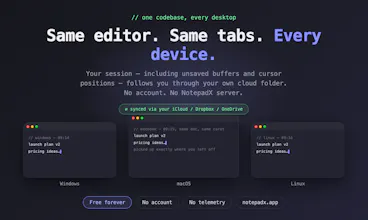
Finally a simple text editor that doesn't get in the way, and the unsaved file sync between my Mac and PC is genuinely useful when I bounce between devices mid-thought.
@erengldalyzxw Thank you — that's honestly the nicest thing you could say, because the mid-thought device switch is the exact moment NotepadX was built for. 🙏
The unsaved-buffer sync was the first feature I wrote and the whole reason the app exists — I kept starting a note on one machine and finishing (or losing) it on another. Glad to hear it's working in the wild across Mac ↔ PC, that's the exact path I use daily too.
If you ever hit a rough edge with the sync timing (or anything else), tell me here or via the contact page — I'm shipping fixes same-day right now. And if the editor's earning its keep, a review or a share goes a long way for a free, no-ads project. 🙌