Launching today

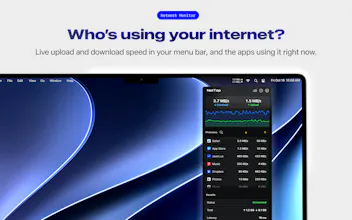
See your live network speed and which apps are using it, right from your Mac’s menu bar. NetTop 1.3 adds data usage history by network and app, hotspot detection, data limits with alerts, and weekly and monthly reports with PDF and CSV export. Your history stays on your Mac. Free to download, with optional Pro.





Free Options
Launch Team

CloudflareDeploy serverless functions globally in seconds
Promoted
Hi Product Hunt! 👋
NetTop’s story began in 2017. Back then, it did one simple thing: show your Mac’s live upload and download speeds in the menu bar.
Over the years, people have enjoyed using NetTop and shared ideas for making it better. Their feedback helped turn that small speed monitor into a way to understand your connection and where your data goes.
With NetTop 1.3, you can:
• See data usage by network and app, from today to this month.
• Set daily, monthly or pass limits and get alerts at 80% and 100%.
• Recognize a phone hotspot when the menu bar speeds turn orange.
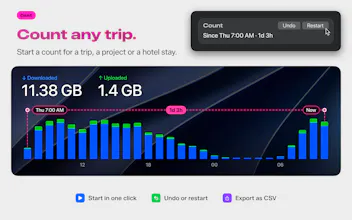
• Use Count to measure data for a trip, project or hotel stay.
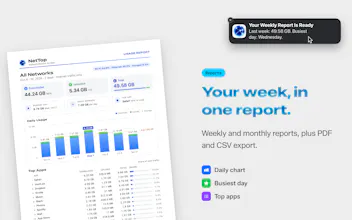
• Get weekly and monthly reports and export them as PDF or CSV.
Live speeds, per-app traffic, a speed test and a detachable panel are still there. Your usage history stays on your Mac, and there’s no account to create. NetTop is free to download and use.
Thank you to everyone who has helped shape NetTop over the years. I’d love to hear what you think: which feature is most useful to you, and what would make it easier to understand your data usage or connection?