
MouseKit
The cursor toolkit that works all day, not just in demos
5.0•10 reviews•13 followers
The cursor toolkit that works all day, not just in demos
5.0•10 reviews•13 followers
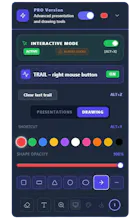
Most cursor tools switch on before a presentation and off after it. MouseKit stays on all day. Guardian shows where your cursor is when you lose it. Mouse Trail follows you while you work. One click switches to drawing mode: shapes, arrows, text, magnifier, spotlight, timer, canvas. Seven profiles change the whole app in one click. Works over Zoom, Meet, PowerPoint. Speaks 15 languages. Everything runs locally. Free version has no watermark. Paid is bought once, works forever.




Hi Product Hunt.
I spent thirty years in management... early in my career I was a programmer, but that was back in the last century and I have forgotten all of it. 🙂
MouseKit is the first app I have ever built, with AI as my partner, and today is the first day anyone has it besides me and eighteen testers.
I built it because in every presentation I struggled to show people where my cursor was, and every tool I tried worked for exactly those thirty minutes and nothing more. On top of that, each one did a single thing, so I ended up running several different apps.
So I went for completeness instead: around thirty features from one panel, with one set of shortcuts. Cursor highlighting, trail, on-screen drawing, magnifier, spotlight, timer, canvas. My goal is for MouseKit to become the most complete tool of its kind over time, and that is why it keeps developing around what users ask for, not around my own wish list.
One tester uses it in his house of worship, on four mirrored screens, and wrote to me that it beats a laser pointer. That was the best email I got this month.
For people coming from here I prepared three codes, used in order:
PH100 — first 10 people get PRO completely free
PH50 — next 20 get 50% off
PH30 — next 100 get 30% off
All discounts apply on top of already reduced launch pricing.
A question for you: have you been missing a tool like this, one that would replace several separate apps and put everything in one place? And if so, what would you need me to add first?
Srki