Launching today

Mastershot Studio
A free video editor in your browser, with no watermark
1 follower
A free video editor in your browser, with no watermark
1 follower
Mastershot Studio is a video editor that runs in your browser. Trim and split clips, add text, transitions, music and a voiceover, and export an MP4 in up to 4K with no watermark. Your files open straight from your disk and are never uploaded. The AI tools run on your computer too: automatic subtitles, background removal without a green screen, Magic Cut for pauses and ums, clean audio and blur faces. It's all free, with no credits and no length limit.



Hi Product Hunt, I'm Jacob. I make Mastershot on my own.
I built Mastershot Studio because the free plans of most online editors stop you at the export. VEED's free plan puts a watermark on your video and exports 720p, up to 10 minutes. Kapwing's does the same, up to 4 minutes. Clipchamp leaves the watermark off, but 4K needs a Microsoft 365 subscription.
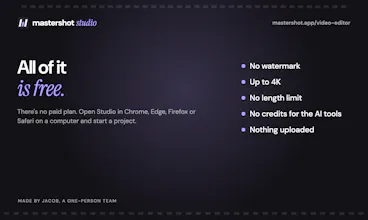
Studio has no paid plan. Anything you can make in it, you can export: an MP4 in up to 4K, as long as you want, with no watermark.
What's in it:
Trim, split and stack clips on rows, with text, transitions, filters, speed changes, pan and zoom, music and voiceover
16:9, 9:16 and square frames
Automatic subtitles you can edit and style
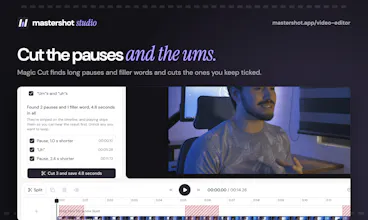
Magic Cut, which takes out long pauses and ums
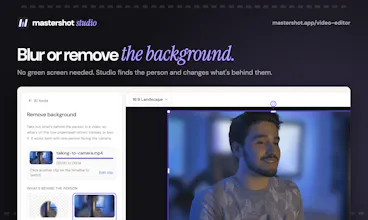
Background removal and blur, without a green screen
Clean audio and blur faces
Your files open straight from your disk and are never uploaded, so a 2 GB video is ready right away. The AI models download once and then run on your computer, so there are no credits or minutes to run out of.
It needs a computer for now (Chrome, Edge, Firefox or Safari). You sign in with Google or an email so your projects are kept.
I'd love to hear what you'd make with it and what you'd want next. If a file won't open, tell me what it is and I'll look at it today.
Jacob