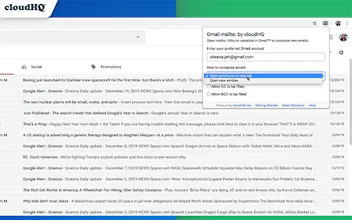
With this Google Chrome extension, you'll be able to set Gmail (or your G Suite account) as your default email client anytime you click on an email address that you find online.
Hi š hunters!
Have you ever clicked on a website's "contact us" email link, only to find out that nothing happens when you click on it?
Or maybe it opens an email client like iCloud email on your Apple MacOs device, or Microsoft Outlook on your Windows device?
It's annoying and doesn't ever have to happen again. With this free Google Chrome extension, you'll be able to set Gmail (or your G Suite account) as your default email client anytime you click on an email address that you find online.
This extension is great for:
ā Large organizations that use G Suite to ensure that all your employees compose emails from their work emails and not accidentally sent from employees' private email accounts (ie. iCloud, Outloook.com, or other Gmail email).
ā Gmail users who have multiple Gmail accounts and want to change their default Gmail account in Chrome when composing emails after clicking on an online email address.
ā Gmail users who are left wondering why clicking on an email link just never works at all.
Save time from having to copy and paste email addresses from the web into your Gmail compose window today. It's a free time hack!
Report
Amazing work, and working great, as usual! Thank you!
MailKing by cloudHQ
MailKing by cloudHQ
MailKing by cloudHQ