Locofy.ai

Build frontend 10x faster with design-to-code AI

4.9
35 reviews

4.1K followers

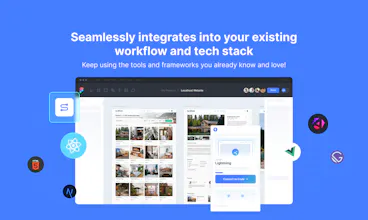
Go from designs to developer-friendly frontend code in a flash without changing your tech stack or workflows. Get responsive, interactive, and modular code that you can easily export or sync to GitHub/VS Code.
This is the 3rd launch from Locofy.ai. View more

Locofy Pro

Build frontend 10x faster with design-to-code AI
Go from designs to developer-friendly frontend code in a flash without changing your tech stack or workflows. Get responsive, interactive, and modular code that you can easily export or sync to GitHub/VS Code.
Locofy Pro gallery image
Payment Required
Launch Team / Built With
ace.me
ace.me
Your new website, email address & cloud storage
Promoted

What do you think? …

Alison Eyo
Oh this speaks to my soul - just spent 3 days turning a Figma handoff into actual code. The GitHub sync part is interesting - does it handle component states properly? Been burned before by export tools that mess up hover animations and break responsive layouts.
Raymond Panganiban
@thealisoneyo Hello! Thank you for your interest in Locofy. This can definitely make your Figma handoff more seamless. For responsiveness, Locofy generates fully responsive screens/code, but this depends on how properly optimised your design is. For example, removing unnecessary groups and frames and adding auto layout. Locofy will always do its best to make any designs responsive using LocoAI, but it's always good to keep your designs optimised. You can visit our docs for tips regarding this. For components, we have a custom components feature where you can connect your custom components library and map it with your Figma design. This way, you're code will include your custom component code with all the states. You can check this link for more info regarding custom components
Samar Ali
Congratulations on the launch of Locofy Pro! How does the code export/sync process work? Are there any unique features or integrations that set Locofy Pro apart from other similar products?
Tobias Kromke
Hi @samalyx , Thank you for the congratulations and your interest in Locofy Pro! To answer your question about the code export/sync process: - Project Creation: You start by creating your project in Locofy. - Select and Convert: Select your Figma screen(s) to convert and run Locofy Lightning. - Review AI Decisions: Once the conversion is complete, you can review our AI decisions. - Sync and Export: Sync to the Locofy Builder from where you can export the code. What truly sets Locofy Pro apart from other similar products are our in-house developed Large Design Models (LDM). These models enable us to generate highly scalable and maintainable code that adheres to modern best practices. If you’d like to learn more about our unique features and integrations, we have detailed information on our website and YouTube channel. Feel free to ask if you have any more questions!
Andrew Rivers
Love what you are doing empowering developers with tools to expedite their workflows. As a developer myself, I see Locofy.ai as a game-changer in efficiently bridging the gap between design and development. Kudos to the team for continuously innovating over these past few years and making frontend development more accessible and efficient! Awesome launch! 🚀
Tobias Kromke
Thank you so much for your kind words and support! We're thrilled to hear that you see Locofy.ai as a game-changer for developers. Our goal has always been to bridge the gap between design and development, making the process more accessible and efficient. Your feedback motivates us to keep innovating and improving. Thanks again for the encouragement and the kudos @arivers! 🚀
Guillermo Bascuñana
Congrats for the launch, been trying alternatives for this (like many try to launch stuff fast) but will definitely give it a look. Sure the one who hits the goal will win a lot!
Tobias Kromke
Sounds great @guillermo_bascunana ! Please share with us how you liked it and how much time you were able to save!
Majid Hanif
This is an exciting milestone for Locofy.ai—congratulations to the entire team! 🎉 The journey from tackling design-to-code challenges to creating a tool that empowers over 500,000 builders globally is inspiring. Locofy’s focus on leveraging AI, especially with your proprietary Large Design Models, is truly groundbreaking and reflects how innovation can simplify and accelerate product development. The new features, particularly Figma to Angular support and custom component imports, are game-changers for streamlining workflows. As someone who understands the time and effort spent bridging design and development, tools like Locofy are a lifesaver. Also, the flexibility in pricing and enterprise-level security options make it accessible and scalable for diverse teams. The Product Hunt community is lucky to get such an exclusive deal—thank you for keeping us in mind! Best of luck as you shape the future of AI-powered frontend development; it’s clear Locofy is just getting started 🚀.
hritik choudhary
Locofy Pro seems like an excellent tool for speeding up frontend development by automating the design-to-code process. The ability to convert Figma designs to developer-friendly code quickly and the new support for Angular are great additions. It’s also nice that the platform supports custom component libraries, making it easier to integrate with existing projects. I’m curious about how well it handles more complex or custom design elements—does it maintain full design fidelity when converting them into code?