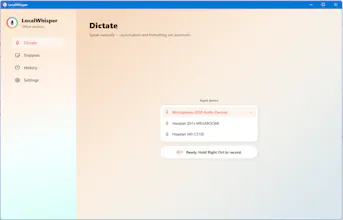
Local Whisper is offline voice-to-text for Windows. Hold a hotkey, speak into any app — email, docs, Slack, code, or an AI prompt — and clean, punctuated text lands right where your cursor is. The speech engine runs entirely on your PC, so nothing is uploaded and no account is needed. It works with no internet, even in airplane mode. Your voice never leaves your machine. And it's a one-time purchase — no subscription, ever.
Hey Product Hunt 👋
We built Local Whisper because we were tired of a quiet trade-off nobody seemed to question: to turn your voice into text, you had to send it to someone else's server.
Every dictation tool we tried worked the same way, hold a key, talk, and your audio gets uploaded to the cloud to be transcribed. It's convenient until you think about what you're actually dictating: client details, half-finished ideas, code, things you'd never paste into a random web form. And it simply stops working the moment your Wi-Fi does.
So we set out to build the opposite. Local Whisper runs its speech engine entirely on your Windows PC. You hold a hotkey, speak into any app, email, Word, Slack, your editor, a ChatGPT or Claude prompt, and clean, punctuated text lands right where your cursor is. Nothing is uploaded. There's no account. It works on a plane, behind a firewall, in airplane mode. Your voice never leaves your machine, because architecturally it can't.
The part we're most proud of: it's a one-time purchase, not a subscription. You buy it once and own it. No monthly fee for something running on your own computer.
There's a 14-day free trial with no card and no sign-up, the best way to feel it is to install it, turn off your Wi-Fi, and watch it keep working.
We'd genuinely love your feedback, and we'll be here all day answering questions. What would make this a daily tool for you? 🙏