
LinguaLayer
Learn English or Chinese inside pages you already read
7 followers
Learn English or Chinese inside pages you already read
7 followers
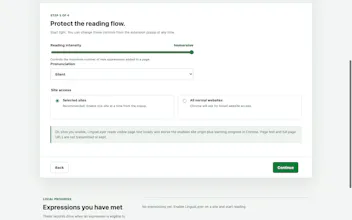
LinguaLayer turns everyday web reading into contextual language practice. Choose Chinese-to-English or English-to-Chinese, set your level, topics, and intensity, then meet a small number of useful expressions directly inside real articles. Hover for meaning, hear pronunciation, restore the original text, and track what you know. The free Core pack works without an account; Pro unlocks technology, business, news, exam, academic, and travel vocabulary packs. Page text stays on your device.


One thing that would really help me is being able to save articles I practice on and come back to them later, maybe with a personal library so I can revisit tricky vocabulary in context. The idea of doing it without an account for the free pack is nice, but losing progress between sessions feels like a miss for building real retention.
@helinrs48 Thanks Helin, this is a great point. Just to clarify, Free progress is stored locally in Chrome and persists between browser sessions. An account is only needed for syncing across devices or Chrome profiles.
A personal library for saving articles and revisiting vocabulary in context is not available yet, but it’s now high on the roadmap. Thanks for the thoughtful feedback!
The privacy-first approach where page text stays on your device is genuinely thoughtful, especially for a learning tool that needs to process what you're reading. Nice to see a language app that respects how much of our browsing happens on sensitive material.