The stock iPhone camera applies Smart HDR, Deep Fusion, noise reduction, sharpening and tone mapping to every shot. LibreCam turns off everything that can be turned off, and shoots what the sensor sees. One tap, two files: a true Bayer DNG, exactly as the sensor read it, and a single-frame HEIF from the ISP. Every physical lens, no digital zoom. Manual focus, shutter, ISO and white balance, focus peaking, a histogram, nine looks, a Watch remote. No account, no tracking, no subscription.
Hi Product Hunt, I'm Timo, and I build apps - LibreCam is my newest.
It started with a simple annoyance. Every photo from the stock iPhone camera has already been through Smart HDR, Deep Fusion, noise reduction, sharpening and tone mapping before you ever see it. Even ProRAW is not raw: Apple's own headers say those files are demosaiced and partially processed, with multi-frame fusion baked in. I wanted the frame the sensor actually saw.
LibreCam is that camera. One tap gives you two files: a true Bayer DNG, the unprocessed sensor readout, and a single-frame HEIF developed by the hardware ISP with no fusion and no HDR. It turns off everything that can be turned off, and is honest about what cannot.
The rest is what a camera should have: every physical lens with no digital zoom, manual focus, shutter, ISO and white balance, focus peaking, a live histogram, a level that never straightens anything, and nine looks applied to the HEIF while the DNG stays untouched.
A few things I care about:
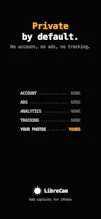
- No account, no ads, no tracking. Photos access is add-only.
- No subscription. The app is free. LibreCam Pro is a one-time purchase that unlocks exactly two things: the Look Editor for your own recipes (with .cube import and export) and the Apple Watch remote.
It runs on iPhone 12 Pro and newer with iOS 18 or later.
I would love to hear what you shoot with it, and what a manual camera is still missing. I'll be here all day answering questions.


Dropshare