
LeetGit
Auto-commit every LeetCode submission to GitHub instantly
10 followers
Auto-commit every LeetCode submission to GitHub instantly
10 followers
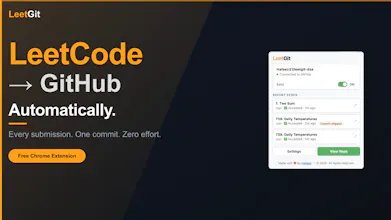
LeetGit is a Chrome extension that automatically syncs your LeetCode submissions to GitHub the moment you hit Submit. Every solution is stored as structured Markdown with your code, runtime/memory stats, difficulty, tags, notes, and attempt history. Features include smart duplicate detection, custom commit messages, sync filters, repo subfolders, token expiry alerts, and real-time sync status. Free, open source (MIT), and no accounts required.


Free
Launch Team

Dropbox SignSimple, secure eSignatures for the way your team works.
Promoted
Hey Product Hunt! 👋
I built LeetGit because I kept watching people grind LeetCode for months and then walk into interviews with nothing to show for it — no archive, no record of their approach, no way to demonstrate consistency.
The obvious solution was GitHub, but copy-pasting solutions manually is just tedious enough that most people never do it consistently. So I automated the whole thing.
The interesting technical challenge was building this under Chrome MV3 constraints.
The extension uses a three-layer architecture:
- An injected script in the page's MAIN world that wraps fetch/XHR to capture submissions without interfering with LeetCode's own network calls
- A content script that renders the floating panel and relays data to the background
- A service worker that fetches problem metadata, builds structured Markdown, and commits using GitHub's Git Data API (blob → tree → commit → ref PATCH) with a local HEAD cache to avoid stale-ref errors on consecutive syncs
It's fully open source. PRs and issues welcome.
Would love your feedback. What features would make this genuinely more useful for your workflow?
Here are the complete features of LeetGit till v1.2.0:
Automatic capture: Intercepts your submission the moment you hit Submit. Works with Accepted, Wrong Answer, Time Limit Exceeded, Runtime Error, and more.
Rich Markdown files: Each solution file includes the problem title, difficulty, language, topic tags, runtime percentile, memory percentile, your LeetCode notes, and a code block with your solution.
Per-problem history table: Every attempt on the same problem is tracked in a history table inside the file, so you can see how you improved over time.
Smart duplicate detection: If you resubmit the exact same code and notes, LeetGit skips the commit automatically. No noise in your repo.
Pause / resume syncing: Toggle syncing on or off from the popup or the floating panel on LeetCode. Submissions while paused are silently discarded.
Hide problem difficulty: Opt-in focus mode that masks the Easy / Medium / Hard badge so you attempt problems blind. Click the badge to temporarily peek — it re-masks automatically when you navigate to a new problem.
Custom commit messages: Use a template with variables like {number}, {title}, {language}, {status}, and {difficulty} — or enable "Ask me every time" mode to type a custom message before each commit.
Sync filtering: Choose exactly which outcomes trigger a commit. Accepted only, or include Wrong Answer, TLE, and others. You decide.
Keyboard shortcut (Alt+Shift+L or custom shortcut): Open the panel instantly without touching your mouse. Stay in your flow.
Subfolder support: Organise solutions the way YOU want. Switch between easy/, contest/, blind75/ right from the panel. Your last choice is always remembered.
Token expiry warning: LeetGit surfaces a warning in the popup before your GitHub token expires, so you're never caught off guard mid-grind.
Skip a commit: Not every submission needs to be committed. Now you can skip one without losing your flow.
Settings backup: Export your full configuration to a JSON file, import it on another machine, or wipe everything cleanly at any time.