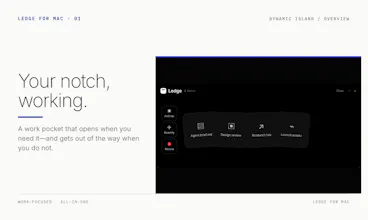
Turn your Mac's notch into a work shelf. Keep files, screenshots, links, text, windows and meeting audio within reach; then copy, open, AirDrop, beautify or drag them back. Local-first, universal for Apple Silicon and Intel, and free in public beta.
Hi Product Hunt — I built Ledge because my Mac workflow kept losing small but important things between apps: the screenshot I needed twice, a link for later, the right version of a file, or a window I did not want to close.
The idea is deliberately simple: the notch should behave like the drawer beside your desk. Drop something in, keep working, and pull it back out when the next task needs it.
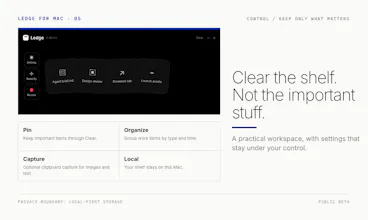
Ledge is not another music, weather or calendar dashboard. It is a work shelf for files, screenshots, links, text, windows and meeting audio. It also gives those items useful next actions: single-click copy, double-click open, AirDrop, screenshot beautifying, pinning, grouping and drag-out reuse.
The public beta is local-first and account-free. Finder items stay referenced in place; clipboard images and Ledge-created images live in the local Application Support folder. Update checks use a signed Sparkle feed. The current build supports macOS 14+, Apple Silicon and Intel, with an adaptive top handle for Macs without a notch.
One transparent limitation: this beta is not notarized yet, so macOS asks you to approve the first launch in Privacy & Security. The launch page includes a short walkthrough.
Which part of your Mac workflow should take one less drag?