
Launch Auditor
Find launch blockers before your users do
12 followers
Find launch blockers before your users do
12 followers
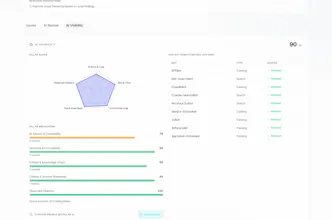
Launch Auditor helps founders and engineering teams catch launch blockers before they reach production. Run 150+ automated checks across security, SEO, performance, accessibility, AI visibility, DNS, email authentication, JavaScript, UX, and more. Get a clear launch-readiness score, AI-ready fix prompts for Cursor, Claude Code, and Bolt, plus a go/no-go verdict in under five minutes.




Free Options
Launch Team

TinyFishSearch, fetch and browse for AI agents. Claim 30% bonus!
Promoted


The CI/CD integration angle looks solid, but one thing that would really help is adding a way to track readiness over time across multiple runs. Like a small dashboard showing which checks flapped between scans, or letting you diff two reports so you can see if a fix actually moved the score. Right now it feels like a single snapshot, but most teams iterate on launches over days or weeks and would want that history visible at a glance.
@abanaltmgzpk
Good news: Scan comparison and Launch history already cover a lot of this — compare two audits side-by-side, and see verdict/score changes across runs on the project timeline. Monitors handle scheduled re-runs too. The missing piece is making that visible at a glance instead of buried in the project/scan views. Working on it.
would love to see scheduled re-runs after fixes so we can confirm issues actually got resolved and watch the launch score climb over time.
@sat697155427106 That workflow is exactly what we had in mind — fix something, re-scan, confirm the score actually moved.
It lives under Projects: open your project and you’ll find Scheduled re-scans (daily or weekly depending on plan). Turn that on after you ship fixes and Launch Auditor will re-run flight checks automatically — no need to remember to hit scan again.
On the same project page you can watch progress over time:
Score trend as you accumulate runs
Launch history for verdict changes and milestones
Scan comparison to see which issues actually cleared vs. came back
Fair note: this is project-scoped, not front-and-center on the homepage — so if you only ran a one-off scan, it’s easy to miss. The iteration loop starts when you save the site as a project and flip on scheduled re-scans.
If you try it and the UX still feels hidden, tell us — that’s useful feedback. Happy to help you set it up if you share what plan you’re on.
How does the AI-ready fix prompts actually work with Cursor or Claude Code, do they integrate directly into the editor or just copy paste?
@bahar278467 Yep! Launch Auditor supports both live website scans and GitHub code-based scans.
Every issue we find includes an AI-ready fix prompt that you can copy directly into Cursor, Claude Code, GitHub Copilot, Lovable, Bolt, or other AI coding assistants.
For GitHub scans, we analyze your source code to identify code-level issues before they reach production. For live scans, we inspect your deployed website for SEO, performance, security, accessibility, and launch-readiness issues.
Each fix prompt includes the issue, relevant context, recommended implementation, and verification steps. Since tools like Cursor and Claude Code have access to your project, they can locate the appropriate files, apply the changes, and explain exactly what was modified.
No plugins or editor integrations are required—just connect your GitHub repository for code analysis or scan your live site, copy the generated fix prompt, paste it into your AI coding assistant, apply the changes, and re-scan to verify the fix.
Caught a missing SPF record and a Lighthouse-blocking render issue on my pre-launch site in under three minutes. The AI fix prompts for Cursor were actually copy-paste ready, which is rarer than you'd think.