KiwiDesk is a tiling window manager for macOS that keeps your Mac calm and organized: every window finds its place in one of seven layouts, apps open with a shortcut, and mouse users get a Space Bar they can drag windows onto. It works with your native macOS Desktops: bind a profile to each one and it loads the moment you swipe there, with its own spaces, layouts, colors and shortcuts. Everything is set in a native Settings app, no config file needed. Free to use, source on GitHub.
Why can't window management on macOS just work out of the box, with a proper native GUI, instead of terminal configs and Linux-style setups?
Hey Product Hunt! 👋 I'm Maikel, a solo developer from Germany. Life taught me that our time is the most precious thing we have, so I grow Kiwis for the boring stuff. The freshest one is KiwiDesk.
I love tiling window managers, but I could never recommend one to my non-programmer friends. On macOS they all want terminal configs, and the most powerful one wants you to disable SIP. I wondered whether any of that is really necessary.
KiwiDesk is my answer to this problem:
- Windows organize themselves — 7 layouts, including an "infinite scrolling" desktop where your apps sit on a ribbon that glides as you focus.
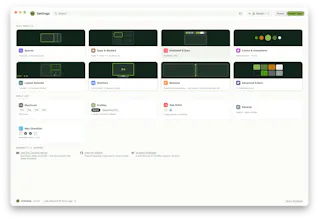
- A real native settings app with sliders and pickers. Mouse users get clickable space/app bars. Keyboard people get hotkeys, Vim-style layers, and "Open or Focus": one key opens an app or brings its window to you.
- Needs only the Accessibility permission. You don't need to turn SIP off, no input-monitoring, no account, no analytics.
- Free for personal use, source-available under BSL 1.1 (MIT four years after each release). Lua + CLI under the hood for power users.
It's macOS 14+ on Apple Silicon, installable via Homebrew or a notarized DMG.
70-second trailer: https://youtu.be/RvziMM_B544
I'd love to know: what's kept YOU from trying a tiling window manager so far? That answer shapes what I build next. I'm here all day 🥝




KiwiDesk