Launching today

Images to PDF
Combine images into 1 pdf file and download it.
2 followers
Combine images into 1 pdf file and download it.
2 followers
Turning a handful of photos or scanned pages into a single file is one of the most common small tasks that ends up needing a dedicated tool: a phone full of receipt photos, a set of scanned document pages, or a batch of images for a report all need to become one shareable PDF instead of a folder of separate files. Konvity’s JPG to PDF converter handles exactly that, entirely in your browser, so your images never have to leave your device to become a PDF.


Free
Launch Team

CloudflareDeploy serverless functions globally in seconds
Promoted
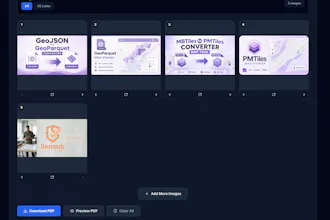
Turning a handful of photos or scanned pages into a single file is one of the most common small tasks that ends up needing a dedicated tool: a phone full of receipt photos, a set of scanned document pages, or a batch of images for a report all need to become one shareable PDF instead of a folder of separate files. Konvity’s JPG to PDF converter handles exactly that, entirely in your browser, so your images never have to leave your device to become a PDF. Unlike a bare-bones converter that only handles one image at a time, this tool is built around the whole workflow of assembling a multi-page document. Drop in as many images as you need, and each one becomes its own thumbnail that you can reorder with drag and drop or the arrow buttons, rotate individually if it was scanned or photographed sideways, or remove if it does not belong. You can keep adding more images after the first batch, so there is no need to plan the whole set out before you start. Once the order and rotation look right, pick a page size (A4 or US Letter) and download one combined PDF.
Every page of the resulting PDF carries a small Konvity logo and label at the bottom, so anyone looking at the file can tell how it was created, and the downloaded filename always includes “konvity” too. Everything, from decoding your images to assembling the final PDF, runs on your own device using the Canvas API and a client-side PDF library. Nothing is uploaded to a server, there is no account to create, and there is no limit on how many images or PDFs you convert.