
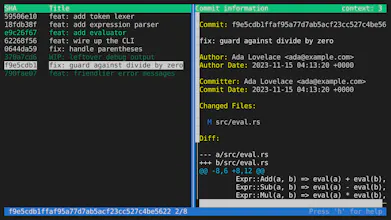
An interactive terminal tool for tidying up Git commits on a branch — squash, reorder, split, drop, reword, and bulk-autofixup commits before submitting a pull request or pushing to a shared branch. The TUI features a hunk group matrix — a visual aid that instantly reveals which commits touch the same lines of code, and whether combining them would be safe or risky.



Free
Launch Team

Framer AI AgentsDesign and publish professional sites with AI
Promoted
I created this tool for the needs of me and my colleagues. Since software development is a messy process, the initial history on a branch tends to be equally messy. To make reviewing an MR and searching git history painless, it is nice to make your commit stand on their own.
Interactive rebase is blind, you don't discover conflicts until mid-rebase. It is also tedious to split a commit and if you want to squash the parts, it's another round of rebase. This tool gives you a visual aid to easily spot commits that are potential candidates for squashing as well as clearly indicate where commits will conflict if moved or squashed. The operations you perform can easily be undone or redone.
I use this tool every day in my work. I hope you will find it useful too!