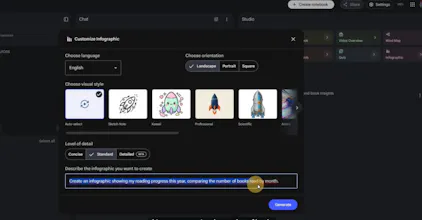
In 2026, using AI is no longer just about writing better prompts. It’s about building systems that remember your work. This video breaks down how Gemini Notebooks and NotebookLM can turn scattered chats, documents, and ideas into a smarter AI workspace. It’s a simple way to move from: “AI as a chatbot” → “AI as a personal workspace that remembers.” If you use AI for research, content, studying, planning, or work projects, this workflow can save you time and make every answer more useful.
No reviews yetBe the first to leave a review for Gemini + NotebookLM Studio Guide
Maker
📌
Hi Product Hunt 👋
Most people use AI like a brand-new chat every time.
They explain the same project again.
They upload the same documents again.
They repeat the same context again.
And then they wonder why the output still feels generic.
So we created a practical breakdown of how Gemini Notebooks and NotebookLM can solve that.
This video is focused on real workflow problems, not just feature demos.
Here’s what stood out:
- Gemini Notebooks help AI remember your context
Instead of starting from zero every time, you can keep chats, files, and instructions inside one focused notebook.
- NotebookLM turns your sources into usable outputs
You can transform your documents and conversations into summaries, tables, slides, flashcards, and infographics.
- Your chats become part of the knowledge base
This is powerful because your conversations often contain your goals, constraints, progress, and preferences.
- It works best when each notebook has one clear topic
A notebook for IELTS prep, a product launch, a travel plan, a content strategy, or a personal tracker can become a focused AI workspace.
The big shift is:
“Prompting AI repeatedly” → “Building an AI system that remembers.”
Curious to hear your thoughts:
1. Would you use Gemini Notebooks for work, study, or personal projects?
2. What would be your first notebook: research, content, planning, or tracking?
Thanks for checking it out 🙌