
Fuser is a node-based canvas for creative work, built for exploration and iteration across every model and modality. Fuser acts as a creative harness—the orchestration layer that connects your ideas, models, and outputs into one working ecosystem. Try it today.
This is the 2nd launch from Fuser. View more

Fuser Apps
Launched this week
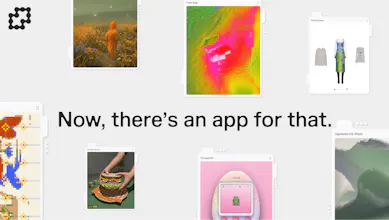
You can now build apps directly in Fuser—no code required.
Fuser is an end-to-end creative engine. Make images, video, sound, 3D and more on canvas. Your references, generations, media and data can become something your app reads, responds to, and evolves from.
Prompt, generate, edit, and ship in one click. Go live in minutes.
Try it now: app generations are free for the next month on fuser.studio 💙



Free Options
Launch Team

How does Fuser handle version control when iterating across multiple models and modalities, and is there a way to roll back to a previous node configuration without losing the downstream outputs?
Fuser
@pek05653349287 Great question! Generation nodes have their own generation history, and you can pin older versions, freeze nodes so they do not regenerate when running entire workflows. This is also true for apps. Every generation of the app node is saved in its own history. You can also fork or branch from apps to evolve an idea from where you left off without rewriting the current version.
modular databases and multiplayer instantly on publish sounds great for a demo, but that's usually where these canvas-to-app tools start showing cracks - once two people are editing the same app's data at once, or a database migration is needed. has anyone actually shipped something with real user data through this, not just a prototype
Fuser
@omri_ben_shoham1 all valid points. DBs were probably the hardest part of this implementation. When it comes to editing, only 1 person at a time can really edit the DB entries. Although we have CRDT for the canvas, the database editing is different beast altogether, so we resorted to constrained mutations. Migrations are automatically handled by the model on as-needed basis. And yes! we've been piloting Apps for a couple of weeks now and already have users building functional apps with real users ;)
good to hear the constrained mutations approach actually holds up, that's the part i was skeptical about. curious how the model decides when a migration is needed vs just adding a new field - does it ever get that wrong on a live app with real data
Curious how this handles versioning when you branch a workflow a few times and want to compare the outputs side by side, does it track that history automatically or is that on me to manage?
Fuser
@glah24980 Each generation node has its own generation history. That way you can compare the same prompt across different models, or different prompts across the same model.
How does Fuser handle version control when you are iterating across multiple models and modalities at the same time, is it built in or do I need to wire that up myself?
Fuser
@ferdi788603 The great thing about node graphs is its non-destructive nature in the creative process. Each node has a generation history, and you can pin older versions in a node, freeze specific nodes to ensure they don't regenerate, so that you can iterate freely. Iterating across multiple modalities at the same time is as easy as clicking and dragging which models you'd like to compare, or you can remix workflows you've made or made by the community. Soon we will have the ability for agents to build your workflows
How does pricing work as you scale up across multiple models and modalities? Curious if I'm paying per node or per output, especially since I'd be running a lot of experiments at once.
Fuser
@beyzatav7 Fuser uses a credit-based system, and we have dynamic pricing reflected on market trends. Costs are per generation and depends on what model and parameters you choose. This transparency allows for you to test capabilities vs. speed. vs cost on a granular level and at scale. We also show you exactly how much a fun workflow generation will cost vs a single generation before you generate.
Curious how pricing scales as you plug in more models and workflows, especially for folks running heavier creative experiments on top of it.
Fuser
@zgrkayal2drb This is a great question. Fuser has one of the most flexible pricing plans for different types of users. You can buy one-time credit packages, subscription plans with custom credit spend, and if integrate AI generations into an app, you can control how much credits are used by users granularly.
How does pricing work for integrating multiple model providers, and is there a cap on how many nodes you can run per workspace?
Fuser
@selahattinkwt9 the cost is calculated on a per model basis, and you will always get an estimate of cost of credit usage before the generation. This is because each model may have different capabilities and parameters that you select (resolution, image gen vs video, duration). We also have other features in place to ensure that we minimize the gap between intention and generation as much as possible to save our users money over time.
There is not a cap on how many nodes you can run on a canvas. Free and Indie are limited to 10 project/canvases, and Pro and Team users can have unlimited canvases. What does dictate the amount of nodes on a canvas is ultimately performance, and that will depend on your computer, type of content (text vs video vs 3d vs app). We also have a passionate team constantly optimizing our canvas for performance. We recommend that once the performance starts to deteriorate on a project of over 100+ nodes, that you create a new project :)