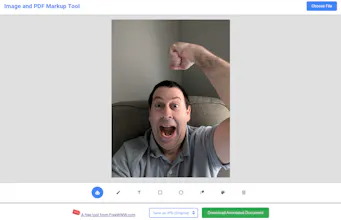
Upload images or PDFs and annotate them directly in your browser. Add text, arrows, shapes, highlights, and freehand drawings, or use blur and redaction tools to hide sensitive details. It supports PDF, JPG, PNG, GIF, and WebP files, with adjustable colors, brush sizes, and zoom controls. No registration or software installation is required.
No reviews yetBe the first to leave a review for FreeWWW Image & PDF Markup
Maker
📌
We built the FreeWWW Image and PDF Markup Tool because adding quick feedback to screenshots, documents, and designs often requires installing software or creating an account.
The project started as a simple image annotation tool. We expanded it to support PDFs and popular image formats, then added text, arrows, shapes, highlights, freehand drawing, zoom controls, and adjustable styling. We also included blur and redaction tools for hiding private or sensitive information before sharing a file.
Our goal is to provide a fast and accessible workspace for teachers, designers, remote teams, students, and anyone who needs to explain, review, or protect visual content. We would love to hear which annotation feature you would like us to add next!
Report
Loaded a PDF and appreciated how quickly the blur tool covered the sensitive sections without messing up the rest of the page. Going to keep this bookmarked.
Report
Honestly the redaction tool looks really solid, but one thing I'd love is the ability to save my annotations as a reusable template. Like if I mark up the same PDF weekly, it would save so much time to just drop in a saved overlay instead of redoing everything.
Loaded a PDF and appreciated how quickly the blur tool covered the sensitive sections without messing up the rest of the page. Going to keep this bookmarked.
Honestly the redaction tool looks really solid, but one thing I'd love is the ability to save my annotations as a reusable template. Like if I mark up the same PDF weekly, it would save so much time to just drop in a saved overlay instead of redoing everything.