Freepik

Freepik

Smarter creativity, faster designs

4.7
35 reviews

3.3K followers

Freepik is a leading platform for designers and marketers, offering a vast collection of images, videos, and templates to meet diverse creative needs. It also features innovative AI tools like the AI Image Generator, AI Video Generator, and AI Background Remover, simplifying workflows and enabling the creation of stunning visuals and dynamic content. With its resources and tools, Freepik empowers users to produce high-quality content efficiently, making it a go-to hub for creative innovation
This is the 10th launch from Freepik. View more
Freepik AI Assistant

Freepik AI Assistant

Combine ChatGPT image generation with Freepik AI tools
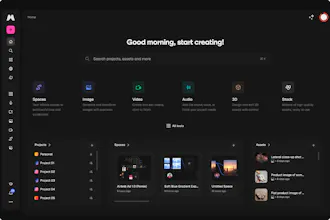
Combine ChatGPT image generation with Freepik AI tools through a natural, real-time conversation. This allows for a smoother creative experience - just like chatting with your own personal designer.
Freepik AI Assistant gallery image
Free Options
Launch Team / Built With
Vy - Cross platform AI agent
AI agent that uses your computer, cross platform, no APIs
Promoted

What do you think? …

TJ

Freepik is constantly evolving their amazing AI Suite! Yet another amazing feature added again. Huge thanks to the entire team for everything they do for this amazing platform 💙

José Antonio Muriano Criado

I’ve been testing the Freepik AI Assistant for the past couple of days, and I didn’t expect it to actually change how I create visuals—but it did.

The standout feature? It’s not just about generating images with AI—it’s about doing everything in one place. I used to go through multiple tools just to get an image I was happy with. That meant tweaking prompts, exporting files, opening up Lightroom or Photoshop to retouch or resize, and then exporting again.

Now, I literally stay in the chat.

I ask for an image > pick the one I like > and right there, I can retouch it, upscale it with Magnific, even enhance it—all in a few clicks, without bouncing between apps or tabs. The whole thing feels more like a conversation than a process. And that’s honestly the magic: I spend less time fiddling with tools and more time actually creating.

If you’ve ever struggled with getting prompts just right or juggling too many tools just to get a usable asset, you’ll immediately feel the difference. It doesn’t feel like AI is replacing the creative process—it’s actually making it smoother.

Super impressed.