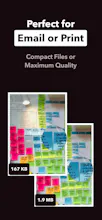
Transform your photos, images, and documents into beautifully organized PDFs for free with this offline, privacy focused iOS mobile app. No account, no subscription, no ads and no artificial limits. Just a small easy tool to get the job done as quickly as possible. Need to turn your photos, receipts, sketches, or document scans into a professional PDF right now? Stop uploading your private documents to random cloud servers. Meet the fastest, safest way to build PDFs on your iPhone.
No reviews yetBe the first to leave a review for Free Photos to PDF App - TornadoPDF
Maker
📌
Hi community
I'm the solo developer who created TornadoPDF. I wanted to create a simple and quick solution to create a PDF document out of photos.
I needed to be able to change the layout and quality, while making it easy to share, print, archive or edit the resulting documents without any hassle.
But Why, you ask?
I always took photos of the whiteboard after our team meetings and brainstorming sessions at work. But it was messy to share or archive those. So why not combine all photos into a single pdf, in a file size that is easy to send over e-mail or chat. The process should be as automated and quick as possible, I don't want more work. I want less.
I started developing a native iOS app to solve my problem and gave it to friends and family to test. It turned out that it's way more useful than I thought:
- A friend of mine manages rental properties and uses it to document move-in and move-out inspections. Combining photos into a single PDF dramatically simplified their workflow.
- A musician started to digitize musical notes with it.
- I turn my invoices into pdf's. For me it's better than the built-in solutions, because I can choose a smaller quality setting and file size.
- Someone scanned their ID card and put the front and back on the same PDF page to share during a bank account application.
Now it's your turn!
TornadoPDF is free, 100% offline, private, requires no account and has no usage limits. GGive it a try and let me know how you use it and what you think. I'm happy to make it more useful and give back to the community.
Cheers!