Launching today

Foldout Capture Studio
Screenshots, recorder, video editor & annotator for Mac
4 followers
Screenshots, recorder, video editor & annotator for Mac
4 followers
Screenshot tool. Cinematic recorder. Video editor. Image annotator. Capture a scrolling page, record a demo with smooth zooms, then cut mistakes, hold a frame and add timed arrows or captions. Annotate any photo or screenshot with magnifiers, callouts and editable layers. Blur faces, cover private details, remove backgrounds, style images, present live and measure layouts. Processing stays on your Mac. All included: US$10 once for 2 Macs. Try every tool free for 14 days, no card.





Hi, I’m Mahad, the maker of Foldout Capture Studio.
A screenshot can explain a problem. A well-edited recording can teach someone how to solve it. Capture Studio gives you the capture and editing tools for both, in one Mac app.
The US$10 purchase includes every tool:
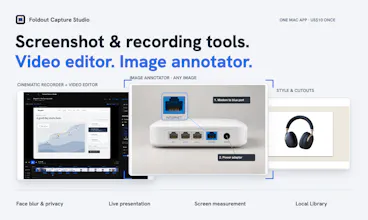
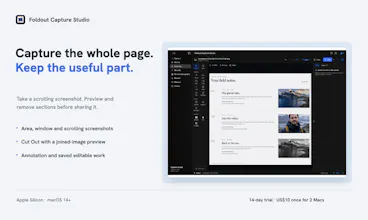
• Screenshot capture: grab an area, a window or a scrolling page. Cut out irrelevant sections or combine screenshots into one guide.
• Cinematic recorder + video editor: record a walkthrough with smooth zooms, cut mistakes, hold a frame, and add timed arrows, captions or fades. Turn the take into a tutorial without moving it to another editor.
• Image annotator: open any photo or screenshot. Enlarge a tiny detail, connect a note, add arrows or spotlights, and arrange editable layers. Give someone instructions they can see.
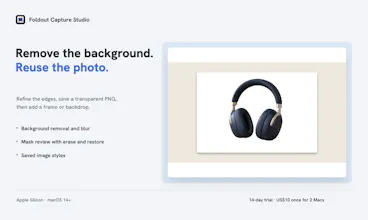
• Privacy and image tools: review detected faces, emails and phone numbers before covering them. Remove or blur a background, refine the cutout, and save image styles for the next job.
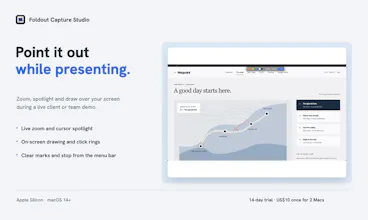
• Live presentation + screen measurement: zoom, spotlight and draw while demoing to a client. Check an element’s size or the gap between objects with the separate measuring tool.
Your captures and editable work stay in a local Library. Image and video processing happens on your Mac. Review privacy suggestions before sharing; detection can miss details.
US$10 once for two Macs. No subscription. Try every tool for 14 days, with no card required. Apple Silicon and macOS 14 or later; some optional speech and table tools require macOS 26.
Try it on a task you already need to finish: a screenshot with feedback, an annotated photo, or a walkthrough for a colleague. I’d like to hear what worked and what got in your way.