Finderlock
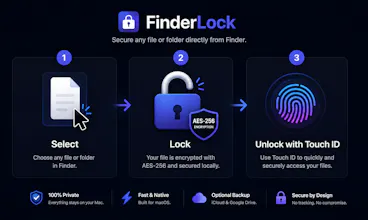
Lock Mac files with Touch ID - right in Finder
73 followers
Lock Mac files with Touch ID - right in Finder
73 followers
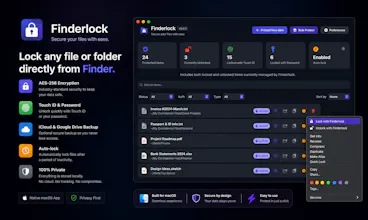
Native macOS file protection with Touch ID integration. Lock and unlock files directly in Finder with one click - no separate app needed. AES-256 encryption, local-only storage,
This is the 2nd launch from Finderlock. View more
Finderlock
Launched this week
FinderLock is a native macOS app that lets you lock any file or folder in Finder with Touch ID or a password. AES-256 encryption — the same standard used by banks. Unlike FileVault (full-disk only), FinderLock protects individual files with one click. Double-click to unlock, auto-lock when idle, and lock icon badges right in Finder. Everything stays on your Mac. No accounts, no cloud, no telemetry. Free plan included. One-time purchase — no subscription.


Free Options
Launch Team

ClawTick
The FAQ section on finderlock.com has eight blank headings with no content — and the feature comparison table has empty cells for every row. Both sections exist specifically for visitors who are close to buying but have a remaining objection. Right now they hit that part of the page and get nothing, which is worse than those sections not existing at all. Looks like a rendering issue that's actively costing conversions. Happy to share more if useful. — Ramin