
Dotlet
Make your environment portable
3 followers
Make your environment portable
3 followers
dotlet helps keep environments portable without the overhead of staging changes, managing repositories, and syncing configs through Git. Push configs from anywhere on your system, dotlet automatically remembers exact paths and structure so they can be restored instantly on any machine. Instead of rebuilding setups after every reinstall or copying configs between devices, you can sync, back up, and share configs through a simple CLI and platform built specifically for dotfiles and environments.
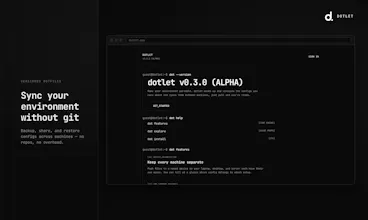


Hey everyone 👋
I’m excited to share dotlet - a new way to back up, sync, and share dotfiles without the complexity of Git.
Managing configs across machines still feels unnecessarily painful. Most existing solutions rely on Git repos, symlinks, custom scripts, or manual setup steps. They work, but they were never really designed specifically for portable developer environments.
With dotlet, you can push any config file directly from its original location:
~/.config/ghostty/config
~/.zshrc
~/.config/nvim/init.lua
…and dotlet automatically remembers where it belongs. When you pull it later (or on another machine), it restores to the correct path automatically.
No repository setup.
No symlink management.
No manual path handling.
No Git dependency.
The vision is to make environments portable, reproducible, and shareable with the same simplicity that git brought to code.
A few things you can do with dotlet:
Back up configs instantly
Restore setups after reinstalling your OS
Share public configs with others
Discover setups from the community
Sync environments across devices
dotlet is fully open source, and I’d love for it to evolve alongside the community through feedback, ideas, and contributions from people who care about tooling, configs, and developer workflows.
If you’ve ever struggled with dotfiles, environment setup, or machine migrations, I’d love to hear how you currently handle it.
Feature ideas, workflow suggestions, discussions, bug reports, and contributions are all welcome ❤️