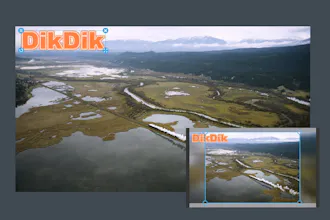
Video Watermark Subtitle Creator as DikDik. The software is an best video watermark software for editing video, It can add video, image, words and subtitle in WYSIWYG. It can add watermark and subtitle to videos in batch, splitting and merging video in batch.
No reviews yetBe the first to leave a review for DikDik 4.6.0.0
Maker
Put watermarks to videos in batch
1.Edit WordArt effects in WYSIWYG.
2.Create dynamic watermark effects (e.g. Expand, Scroll, Flash and Fade In).
3.Insert coypright symbols C, R or TM to video.
4.Watermarks (video,audio,image, text).
5.Remove logo and watermarks from vidoes.
Report
Maker
Add subtitles to videos in batch
1.Edit subtitle in WYSIWYG.
2.Create dynamic subtitle effects (e.g. Expand, Scroll, Flash and Fade In).
3.Add .srt or .ssa subtitles to videos.
Split video in batch
1.Set number of parts or a duration of each clip.
2.Set start and end points for every part.
3.Intercept a section.
4.Remove title sequence and ending
Merge videos in batch
1.Add title sequence to videos in batch.
2.Add ending to vides in batch.
Report
Maker
4.2.0.0 Add output format webm flac gif
4.2.0.0 Add rectangle watermark
4.2.0.0 Add align left,right,center,top,bottom
4.2.0.0 Support gif watermark
4.1.0.0 Supports effect face detector mask in the video
4.1.0.0 Supports effect fade in,fade out,blur pad,clear logo in the video
4.1.0.0 Supports add watermark : audio
4.1.0.0 Supports soundtrack mix
4.1.0.0 Supports split remove title sequence and ending
4.1.0.0 Supports add image sequence JPG
4.1.0.0 Add watermark animation 10 style
4.1.0.0 Fix read srt unicode bug
Report
Maker
4.3.5.0 Add preset in format
4.3.5.0 Support Video landscape and portrait conversion
4.3.5.0 Fix crop bug
Report
Maker
Video Watermark Subtitle Creator for windows 7,8,10 x64 ,macOS 10.13 or later