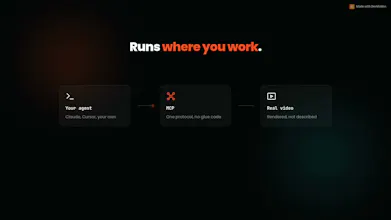
DevMotion turns prompts into motion-designed videos. Open the editor in your browser, chat with Claude/Gemini/Kimi/Grok, and it builds the timeline — layers, keyframes, captions, backgrounds, 3D mockups. Or drive it from your IDE via the MCP server. Record your screen + cam, auto-caption and auto-dub in any language, generate B-roll with Seedance 2.0, and export once — DevMotion re-lays out for 16:9, 9:16 and 1:1 up to 4K. Free plan, no install, no credit card.
This is the 2nd launch from DevMotion — AI Video Editor. View more
DevMotion v2
Launching today
The AI video agent that looks at what it builds
Every other AI video tool works blind. It writes a scene, gets back "success", and never knows whether the frame actually looks right. v2 fixes that: the agent renders real frames and looks at them. It caught a title running off the canvas in our own launch video and patched the one line that caused it. Chat with it in the browser editor, or connect it to Claude, ChatGPT or your IDE over MCP. Free to start, no install.
I'm Emanuele, solo founder. DevMotion is the thing I've been building nights and weekends.
I shipped v1 in April. It made videos from a prompt, and it mostly worked. But it had a flaw I could not stop thinking about: the agent was working blind.
Every tool call came back "success". That only ever meant the data saved — never that the frame actually looked right. Text overflowed its box. Layers stacked on top of each other. And the agent cheerfully reported everything was fine.
I was the eyes, every single time. Which is a strange thing to say about a tool whose whole promise is that you don't have to be.
So v2 gives it eyes. The agent renders real frames and looks at them before it says it's done. When something is off, it goes back and fixes it.
The video on this page is the proof: the agent built it, rendered it, spotted a title running off the canvas, and patched the one line of CSS that caused it. I didn't touch that fix.
You can chat with it in the browser editor, or connect it to Claude or ChatGPT over MCP and make videos from wherever you already work.
What I'd love from you today:
→ Break it. Give it something visually hard and tell me where it still gets it wrong. Those are the reports I learn the most from.
→ If you make videos for a living: is "the AI checks its own work" something you'd actually trust — or does it need to show you the frames it looked at?
Free to start, no install, no credit card. I'm here all day and I answer everything.
Report
Reviews
No reviews yetBe the first to leave a review for DevMotion — AI Video Editor
Hey Product Hunt 👋
I'm Emanuele, solo founder. DevMotion is the thing I've been building nights and weekends.
I shipped v1 in April. It made videos from a prompt, and it mostly worked. But it had a flaw I could not stop thinking about: the agent was working blind.
Every tool call came back "success". That only ever meant the data saved — never that the frame actually looked right. Text overflowed its box. Layers stacked on top of each other. And the agent cheerfully reported everything was fine.
I was the eyes, every single time. Which is a strange thing to say about a tool whose whole promise is that you don't have to be.
So v2 gives it eyes. The agent renders real frames and looks at them before it says it's done. When something is off, it goes back and fixes it.
The video on this page is the proof: the agent built it, rendered it, spotted a title running off the canvas, and patched the one line of CSS that caused it. I didn't touch that fix.
You can chat with it in the browser editor, or connect it to Claude or ChatGPT over MCP and make videos from wherever you already work.
What I'd love from you today:
→ Break it. Give it something visually hard and tell me where it still gets it wrong. Those are the reports I learn the most from.
→ If you make videos for a living: is "the AI checks its own work" something you'd actually trust — or does it need to show you the frames it looked at?
Free to start, no install, no credit card. I'm here all day and I answer everything.